

S Panel adds a discreet handle to the edge of an Android phone. Swipe inward and a focused panel appears over the app already in use; dismiss it with an outward gesture or by tapping outside. The purpose is simple: keep useful weather and clipboard tools close without repeatedly returning to the home screen.
S Panel is proprietary software distributed by Jenius Tech SRL. It is not open source. The app is currently free to install from Google Play and supports Android 12 and newer.
Weather details without leaving the current app
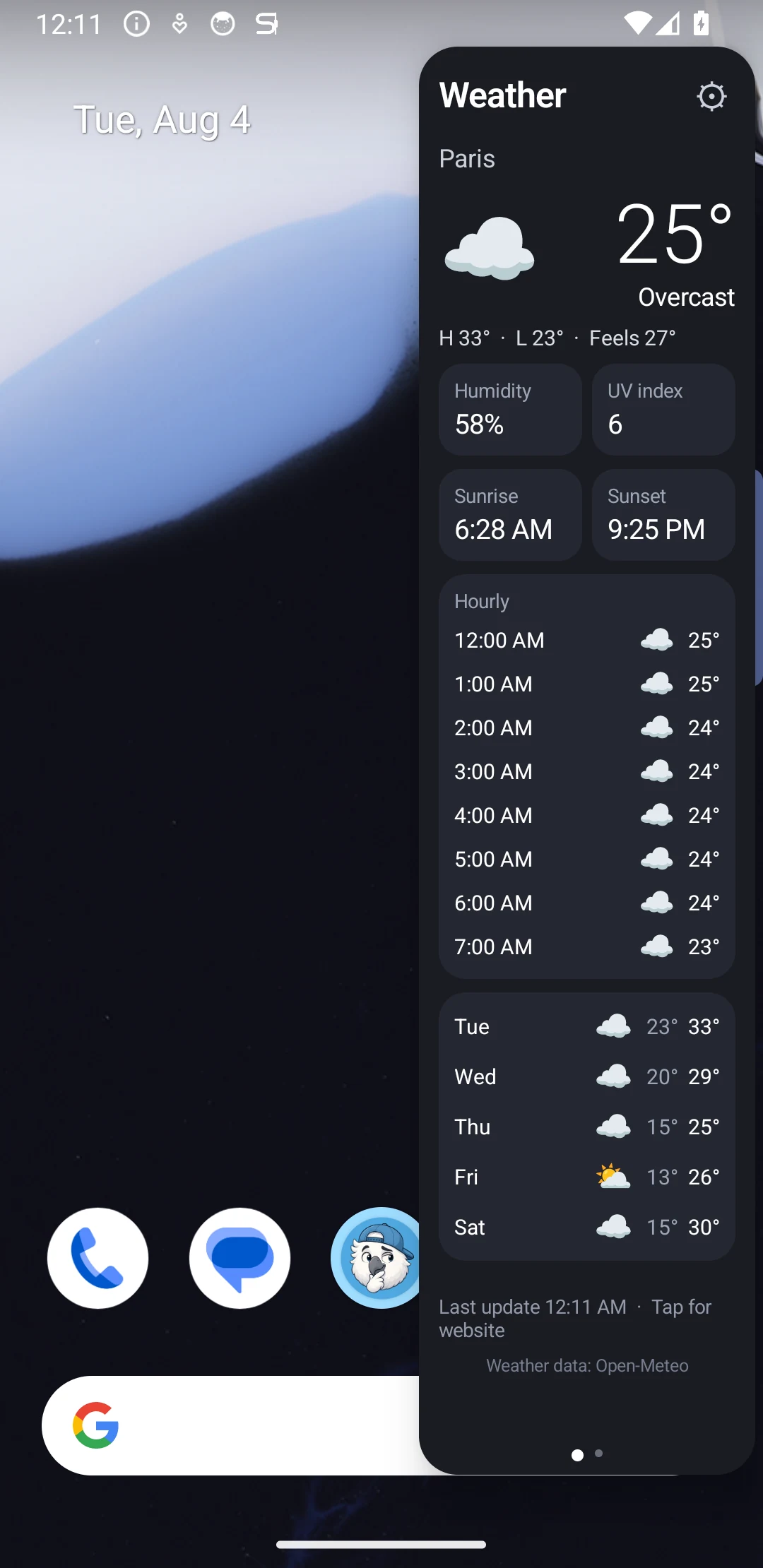
Check current conditions and the wider forecast in the real S Panel phone interface at 0% transparency.
Explore S PanelThe weather panel shows current conditions, feels-like temperature, daily highs and lows, humidity, UV index, an hourly outlook, a five-day forecast, and sunrise and sunset times. It is designed for a quick answer while reading, planning, messaging, or working in another app.
Users can choose Open-Meteo or MET Norway for forecast data. Links to Weather.com, AccuWeather, or Google Weather make it easy to continue into a more detailed web forecast when needed.
A practical private clipboard
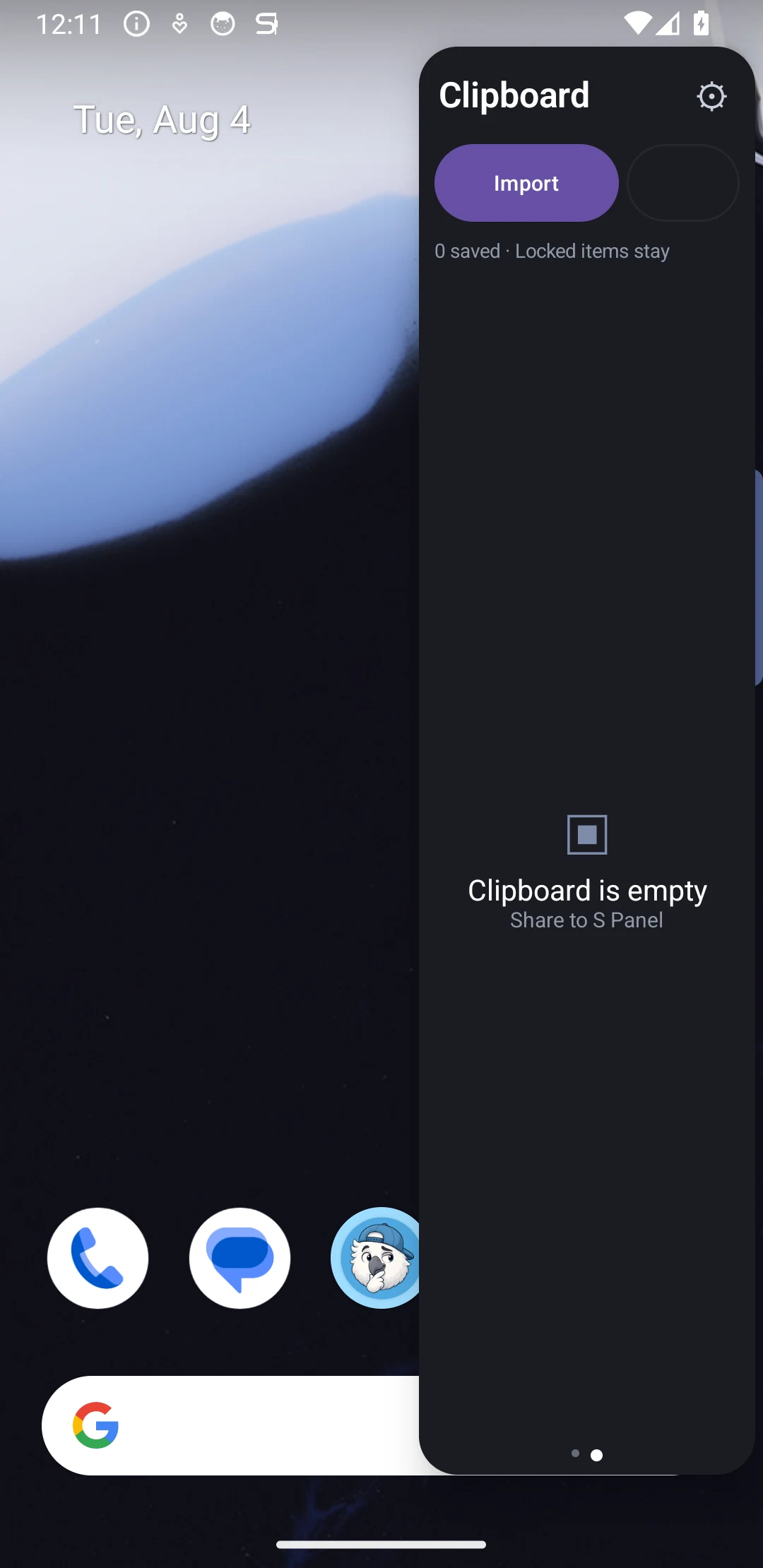
Keep reusable text and images available from the screen edge in the real phone interface at 0% transparency.
See S Panel clipboard featuresThe clipboard panel keeps copied text and images ready to reuse. Instead of searching through another app, users can open S Panel from the edge, find the relevant item, and copy it again.
Clipboard content stays on the device and is encrypted in private app storage. Users can copy or delete individual entries and clear ordinary clipboard history from the panel. Important items can be locked so they remain when unlocked history is cleared, which is useful for reusable text, references, or images.
Private storage does not remove the need for care: passwords, payment details, recovery codes, and other highly sensitive secrets belong in a dedicated password manager rather than any general clipboard history.
Make the edge handle fit your hand
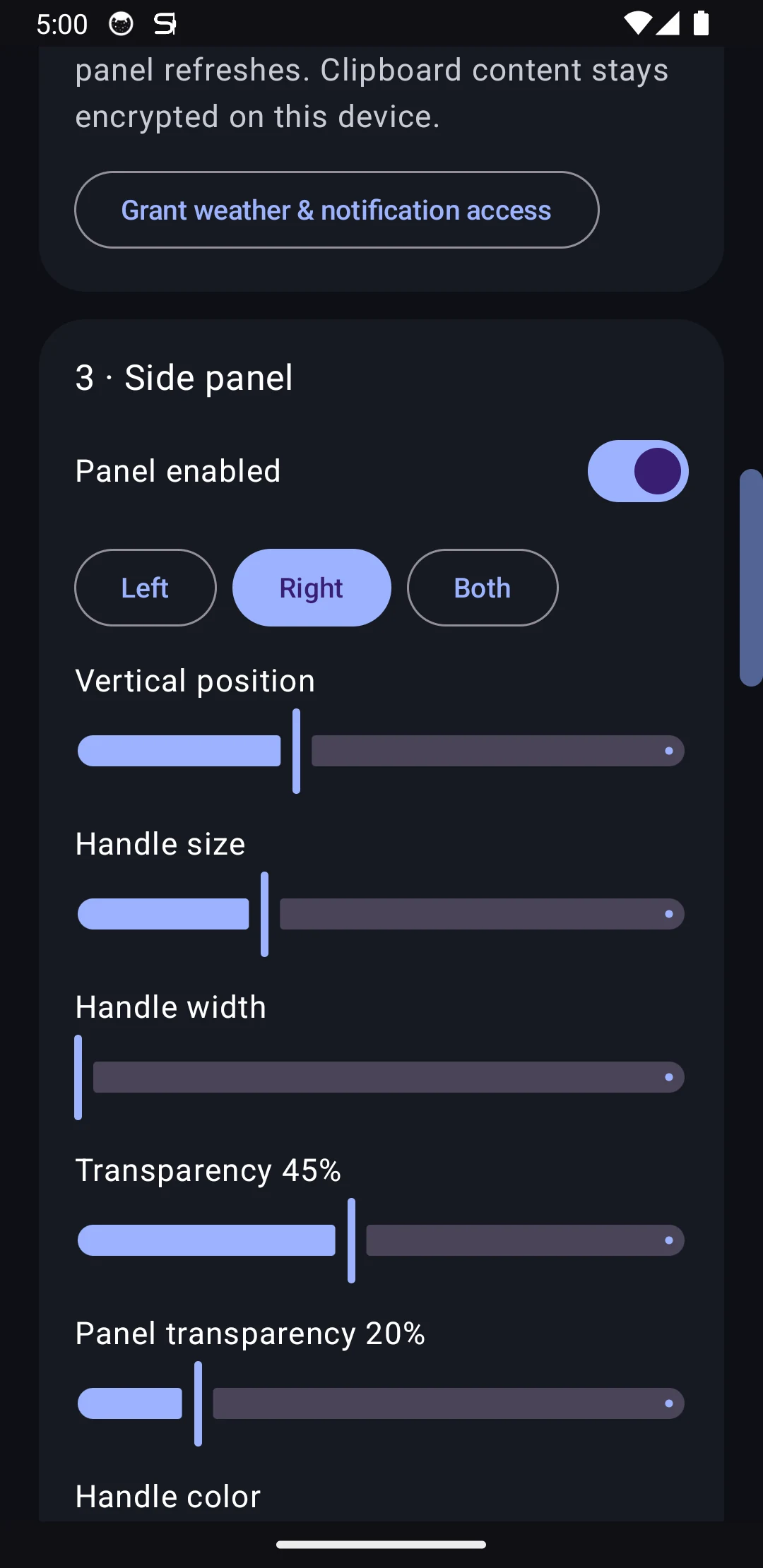
Adjust the handle position, dimensions, appearance, and feedback around the way you hold your phone.
Explore S Panel customizationThe handle can appear on the left, right, or both sides of the display. Position, width, height, color, transparency, vibration, and vibration strength can be adjusted so the gesture is easy to reach without becoming distracting.
S Panel uses Android's draw-over-other-apps permission to appear above the current screen. Android keeps that permission under user control, and the app explains why it is needed during setup.
S Panel fits people who regularly check weather, reuse copied material, work across several Android apps, or want useful tools available from either edge. For a practical free side panel with real everyday tools, private on-device clipboard storage, and flexible controls, S Panel offers a focused place to start.