A checklist for choosing a music remix maker around your source material, creative decisions and the file you need at the end.
Jenius Tech SRL
The best online music remix tool for your project is one that accepts your source, gives you the controls you actually need and produces a usable export. Start with that journey rather than a long feature list.
Open Remixer suits creators who want to understand an existing track, explore a different sound and continue making decisions in an editable arrangement. Here is a practical way to evaluate it, or another browser tool, before spending hours on a project.
Check the source workflow first
Try a short recording in a format you normally use. Open Remixer’s source screen accepts MP3, WAV, FLAC, M4A, AAC and OGG and asks you to confirm audio rights. Check playback after upload rather than assuming every encoded file will behave the same way.
Ask whether your project needs a complete mixed track, separate stems, MIDI or a recorded instrument. These are different inputs. A tool that transforms a finished recording is not automatically a multitrack recording studio.
Look for decisions you can change
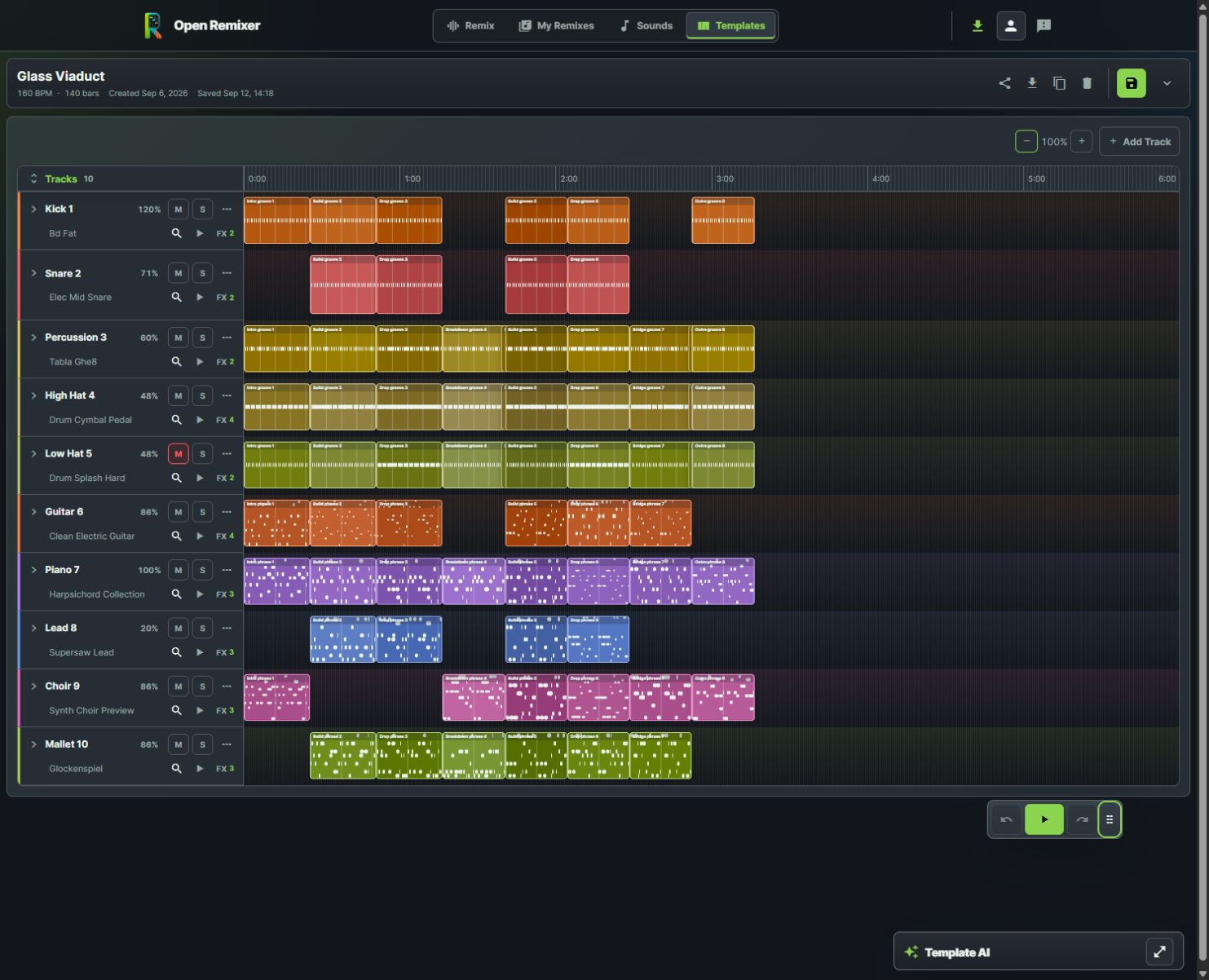
Musicians can refine a layered arrangement directly instead of relying on a single fixed result.
An editable remix should let you hear an idea and then refine it. In Open Remixer’s template editor, the arrangement has musical lanes and blocks, with sound selection, volume, mute, solo and effects controls. Tempo and genre information stay close to the work.
Try a concrete task: lower a bass lane, audition a different sound, adjust a block and use Undo. If your intended project depends on those controls, test them before building a long arrangement.
Audition sounds in context
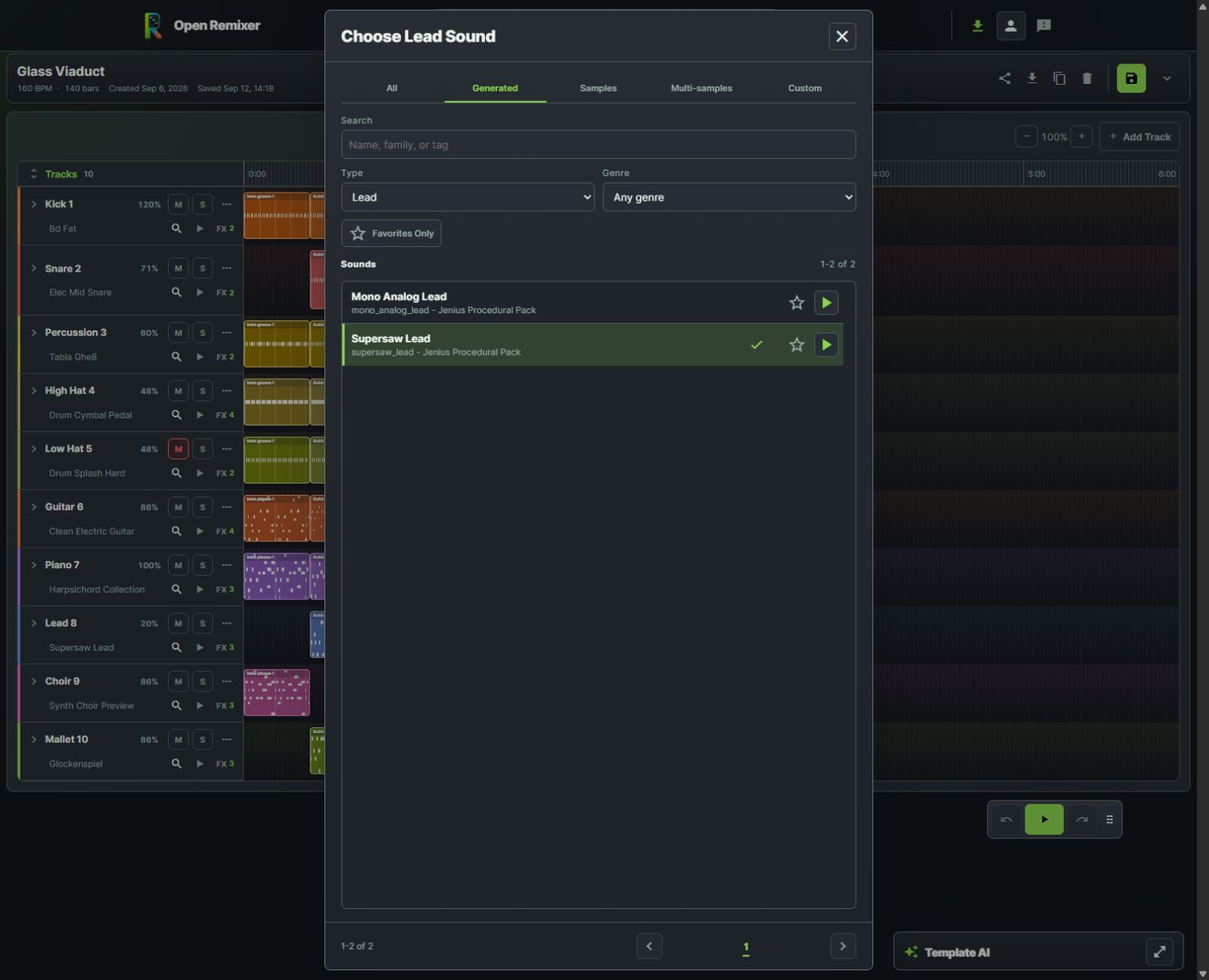
The real sound picker makes auditioning and choosing a bass sound a visible part of editing.
A sound can be attractive alone and overpower a mix. Open Remixer’s sound picker lets you search and filter choices, then audition them. Compare candidates at similar listening levels and return to the whole arrangement before deciding.
Check whether the bass leaves room for the kick.
Check whether a lead competes with the vocal range.
Listen to the transition after replacing a sound.
Keep one successful change before making several more.
Match the export to the destination
Before choosing a tool, find its actual download options. Open Remixer’s remix workspace supports MP3 and WAV; template audio currently uses MP3 quality presets. Choose around the path you will use and the receiving service’s requirements.
Download a small example, play it outside the app and verify the beginning and end. An editable project and a rendered audio file serve different purposes, so retain both when your workflow supports them.
Choose around one real project
If you need live recording or collaboration, compare a broader browser studio too. If your priority is genre exploration and editable template arrangements, Open Remixer is a useful place to begin. Our three-app shortlist explains that narrower context and when another product may fit better.
Is the largest feature list the best choice?
Only if those features solve your actual task. An approachable preview-and-edit workflow can matter more than tools you will never use.
What should I test before committing?
Use one permitted source, make one meaningful edit and export a playable file. That gives you a concrete basis for choosing.