A practical starting workflow for musicians and creators who want a fresh version of an existing track while keeping control of the result.
Jenius Tech SRL
You can remix a song online with Open Remixer by importing an audio file you have permission to use, checking its musical analysis, choosing a remix direction, listening to the result and exporting the version you prefer. An editable arrangement offers another route when you want to shape individual sounds and sections.
Open Remixer is Jenius Tech’s browser music remix tool. This guide helps you choose a first workflow without confusing a quick effect, a target-genre render and a template arrangement.
Start with a track you can use
Creators bring in their own permitted recording before choosing how to transform it.
Open the Remix workspace and choose an MP3, WAV, FLAC, M4A, AAC or OGG file. Confirm that you own the audio or have permission to process it, then upload. A supported extension is the starting point; successful playback also depends on the file and your browser’s audio support.
Keep the original file. Listen for distortion, clipped peaks and long silences before processing. An export cannot restore detail already missing from the recording.
Review the analysis before choosing a direction
Open Remixer analyzes duration, tempo, the beat grid and sections. Use the waveform and playback together: listen to where an intro ends, where the main idea enters and how the track closes. Treat automatic musical estimates as a guide, especially for free timing or changing tempo.
Choose a small first experiment. A quick slowed-and-reverb or sped-up version answers a different creative question from rebuilding the track toward a genre. Advanced processing requires a supported browser and device; the app checks availability before that workflow.
Decide how much editing you need
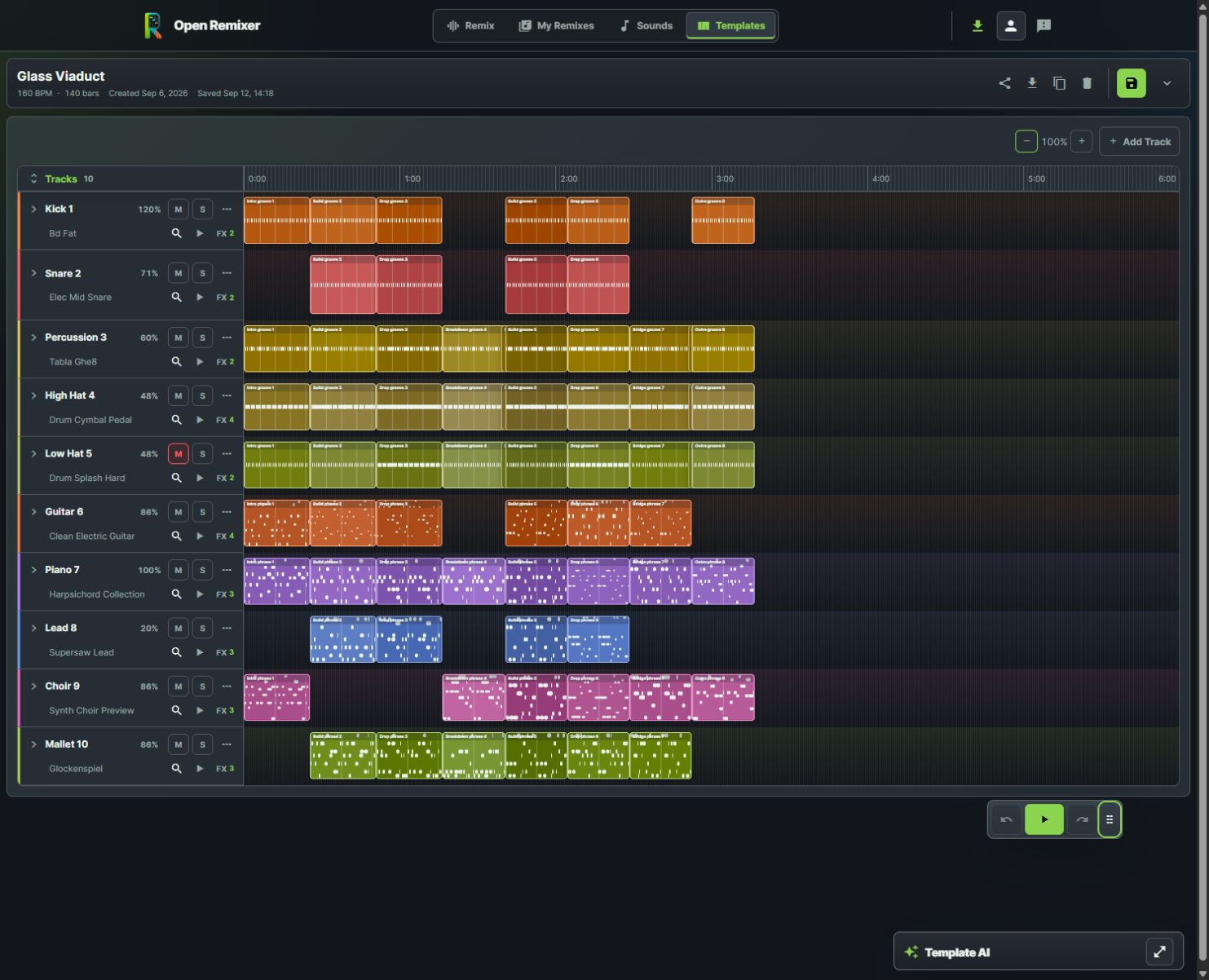
An Glass Viaduct template arrangement in the real editor shows the timeline and direct controls.
For a broad change, preview the remix path first. For hands-on work with musical lanes, use a template arrangement: choose a genre, set tempo, audition sounds and work with blocks on the timeline. These are distinct workflows; importing a mixed recording does not automatically make every original instrument an independently editable track.
The screenshots show Glass Viaduct in the live app: a ten-track arrangement with layered melodic phrases and multiple effects on individual instruments.
Preview before exporting
Listen to the opening, the loudest section, at least one transition and the ending. Check whether vocals remain readable, bass is controlled and section changes feel intentional. Adjust one thing at a time so the effect of an edit stays clear.
Export from the workflow you used. The remix workspace supports MP3 and WAV output, while the current template download dialog offers MP3 quality presets. Save your editable arrangement separately when you want to return to its controls.
Can I remix any song I find online?
Use recordings you own or have permission to process and publish. Access to a streaming track does not by itself grant remix or distribution rights.
Do I need Advanced mode to start?
No. You can start with supported upload, analysis, quick effects and template editing. Advanced has additional device requirements.
Where should I start?
Launch Open Remixer, try one permitted recording and compare a short passage before committing to a full creative direction.