Open Remixer
Open Remixer is an online music remix tool by Jenius Tech that helps artists understand a track, explore a new sound, and shape an editable remix with creative control.
 Turn one track into new possibilities
Designed around the real workflow.
See the track tempo, key, energy, and main sections before making changes.
Explore house, drum and bass, lo-fi, synthwave, trap, and other directions.
Rearrange sections, shape energy, add effects, and swap sounds with direct controls.
Preview different versions, compare ideas, and download the result you prefer.
Try a remix with vocals.
Play a preloaded electronic track, change the tempo and explore a different sound. Your experiment stays in this demo.

Altar by Vidian featuring Zutsuri · CC BY 3.0. Original recording; demo edits are local. Track & licence details
Turn an idea into a starting point.
See a prepared brief in the AI template creator. Press Generate to explore the example arrangement below.
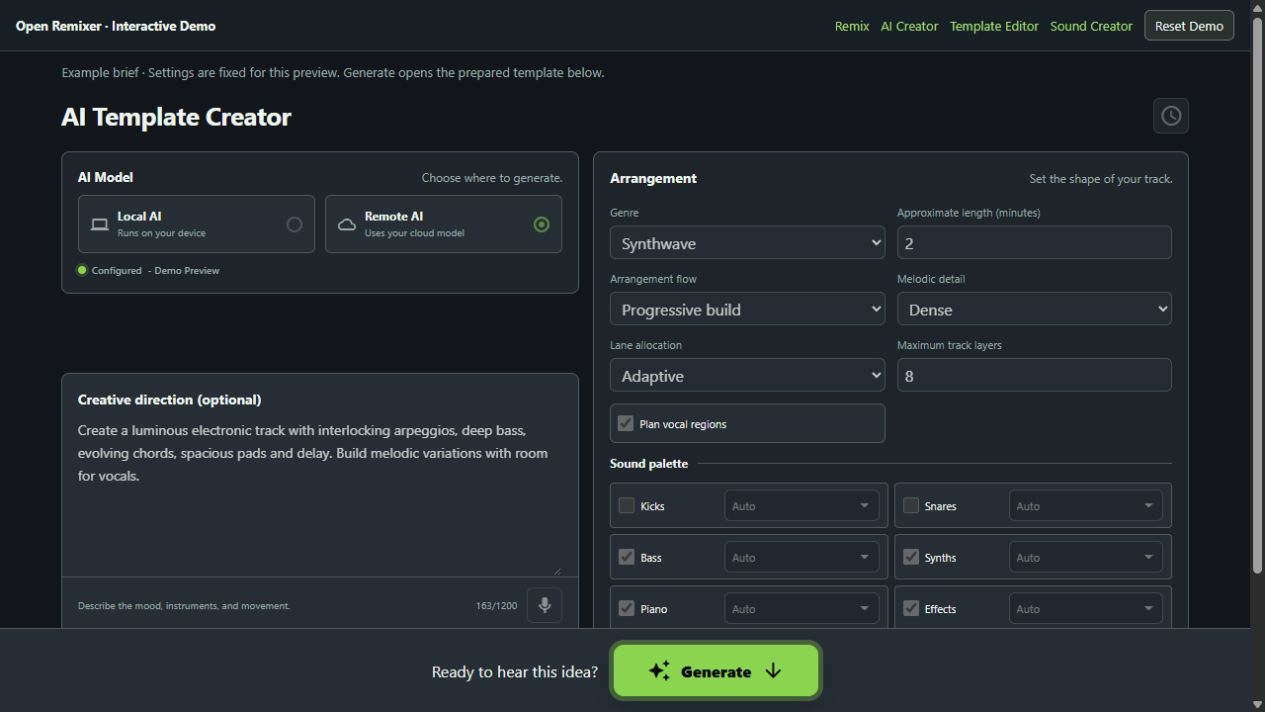
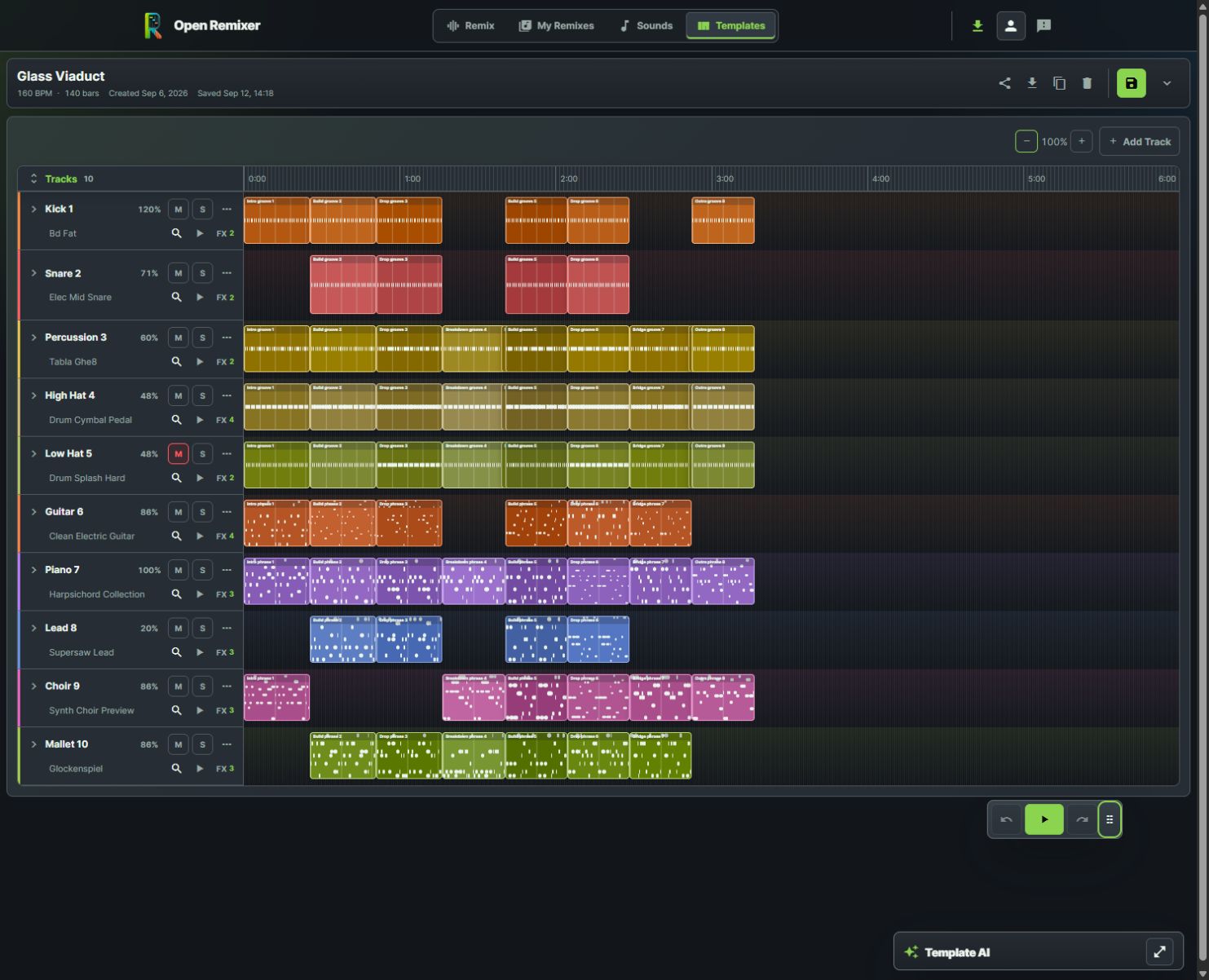
Make the arrangement your own.
Explore an electronic template with varied melodies, drums, bass, delay and reverb. Move clips, edit notes and hear your changes.
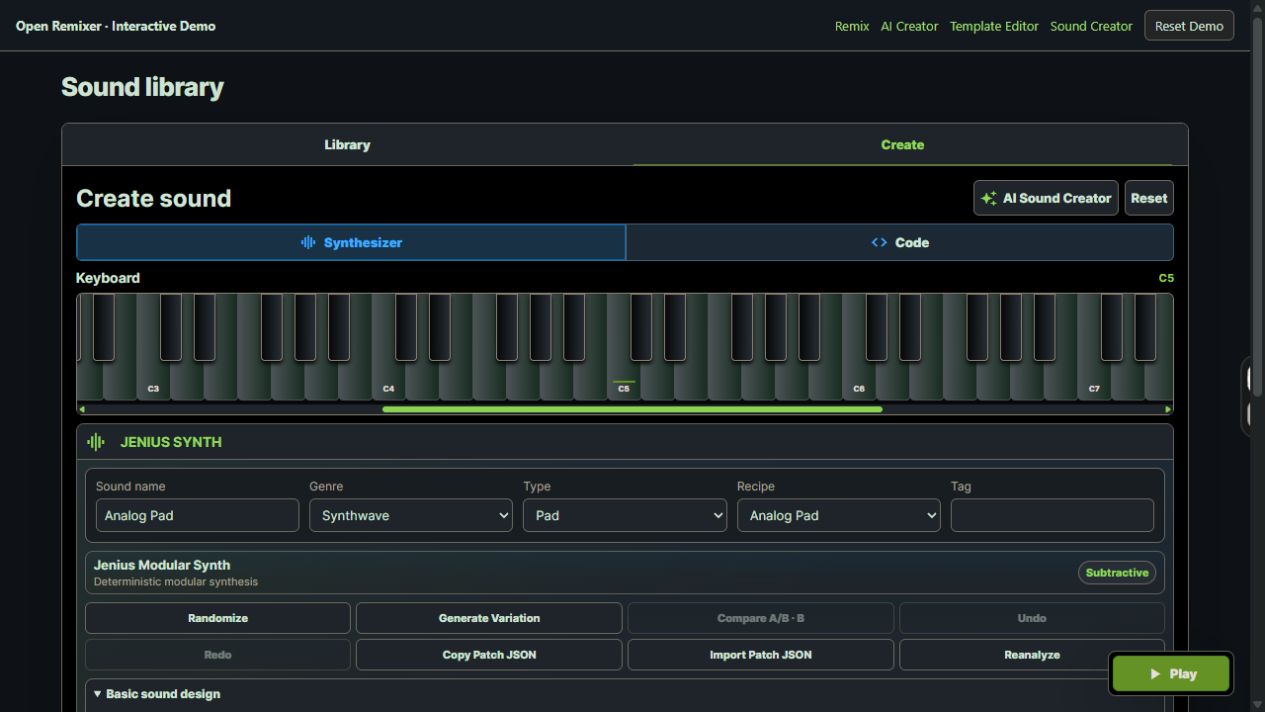
Shape a sound from scratch.
Start with Analog Pad, adjust the envelope and effects, and play your sound on the keyboard before saving it in the demo.
Give your next track a new direction.
Explore a fresh sound, shape the arrangement and preview your remix with creative control.
Contact Open Remixer
Questions, feedback, or help getting started? Email our team.
Learn more about Open Remixer.
Read practical guidance, comparisons, and everyday ways to get more from the product.
Make a slowed and reverb song online
Hear an original before-and-after clip, then import, process and export your own permitted audio.
Read the article GuideTop 3 Online Music Tools for Quick Remix Experiments
Compare Open Remixer, Audioalter and TwistedWave Online around a quick song experiment and the next creative step.
Read the article GuideTop 5 Browser Music Studios for Remixing and Editing
Compare five browser music workspaces around remix exploration, recording, collaboration and sample-based creation.
Read the article GuideHow to Remix a Song Online with Open Remixer
A practical starting workflow for musicians and creators who want a fresh version of an existing track while keeping control of the result.
Read the article GuideChoosing an Online Music Remix Tool: What Matters
A checklist for choosing a music remix maker around your source material, creative decisions and the file you need at the end.
Read the article GuideChange a Song’s Genre: Effects vs Editable Templates
Compare verified upload effects with starting from editable musical parts.
Read the article GuideHow to Find a Song’s BPM and Key
Check a real tempo estimate and understand half-time, double-time and unknown-key results.
Read the article GuideAI-Assisted Music Editing with Creative Control
Use AI to propose an arrangement while keeping sound choices, musical edits and the final listening decision in your hands.
Read the article GuidePreview, Compare and Export Your Music Remix
A listening checklist for turning an experiment into a usable audio file without losing the decisions you want to revisit.
Read the article GuideTop 3 Browser Music Tools for Editable Remix Arrangements
Our three-app shortlist for creators who want a new musical direction they can inspect, edit, preview and export.
Read the article