Top 3 Online Music Tools for Quick Remix Experiments
Three practical options for testing a new version of a song, with Open Remixer first when a quick experiment should lead to further creative work.
Jenius Tech SRL
Start with one recording and one question: would this passage work better slower, faster or with more space around it? A quick remix experiment helps you hear a direction before spending hours arranging a full production.
For creators who want that experiment to lead into broader remix exploration, our first choice is Open Remixer. Audioalter suits a defined effect preset. TwistedWave Online suits waveform editing and inspecting a selected passage.
This article is published by Jenius Tech, the creator of Open Remixer. The order reflects this specific creative workflow and our product perspective, rather than measured audio-quality superiority. Official competitor interfaces and information were reviewed on 5 October 2026.
How we chose these three tools
The starting task is a recording you have permission to process. We prioritize an understandable first action, a result you can audition and a clear next step if the initial experiment deserves more work.
A tempo change and a reverb effect can suggest a mood. They do not automatically rebuild the harmony, extract every instrument or turn a finished recording into separate tracks. Decide whether you need a quick effect, an audio edit or an editable musical arrangement.
1. Open Remixer: best for experiments you want to develop
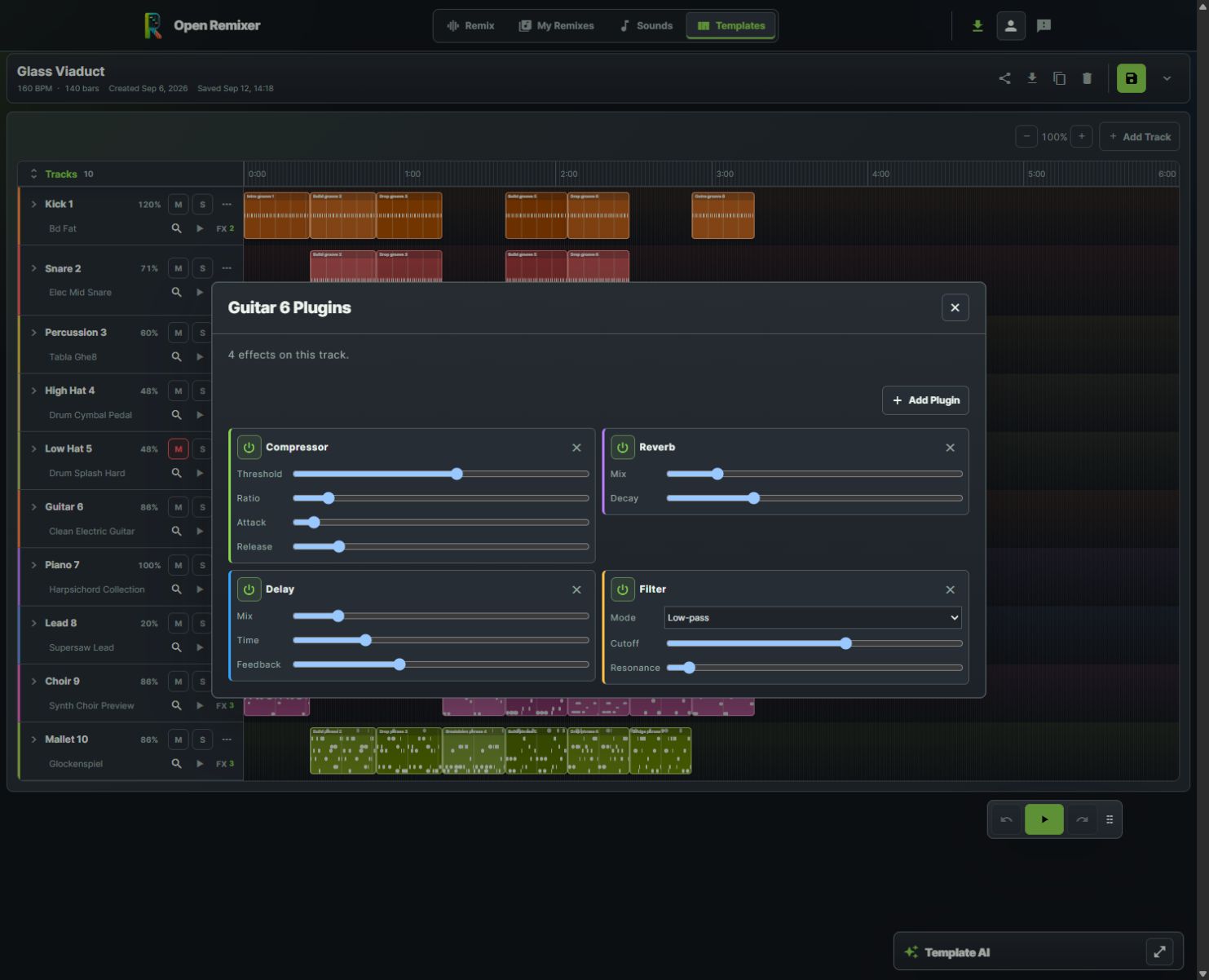
Move from a quick idea to deliberate sound shaping with four effects on the guitar track.
Open Remixer brings source upload, musical analysis and quick remix effects into the same product as target-genre exploration and editable template arrangements. That makes it our first recommendation when you want to test a direction and then keep making musical decisions.
Begin with a permitted recording, review its timing and try a quick slowed-and-reverb or sped-up version. If the idea calls for more control, explore the template editor's sounds, musical blocks, track balance and effects. These are separate creative routes: an uploaded mixed song does not automatically become independently editable instrument lanes.
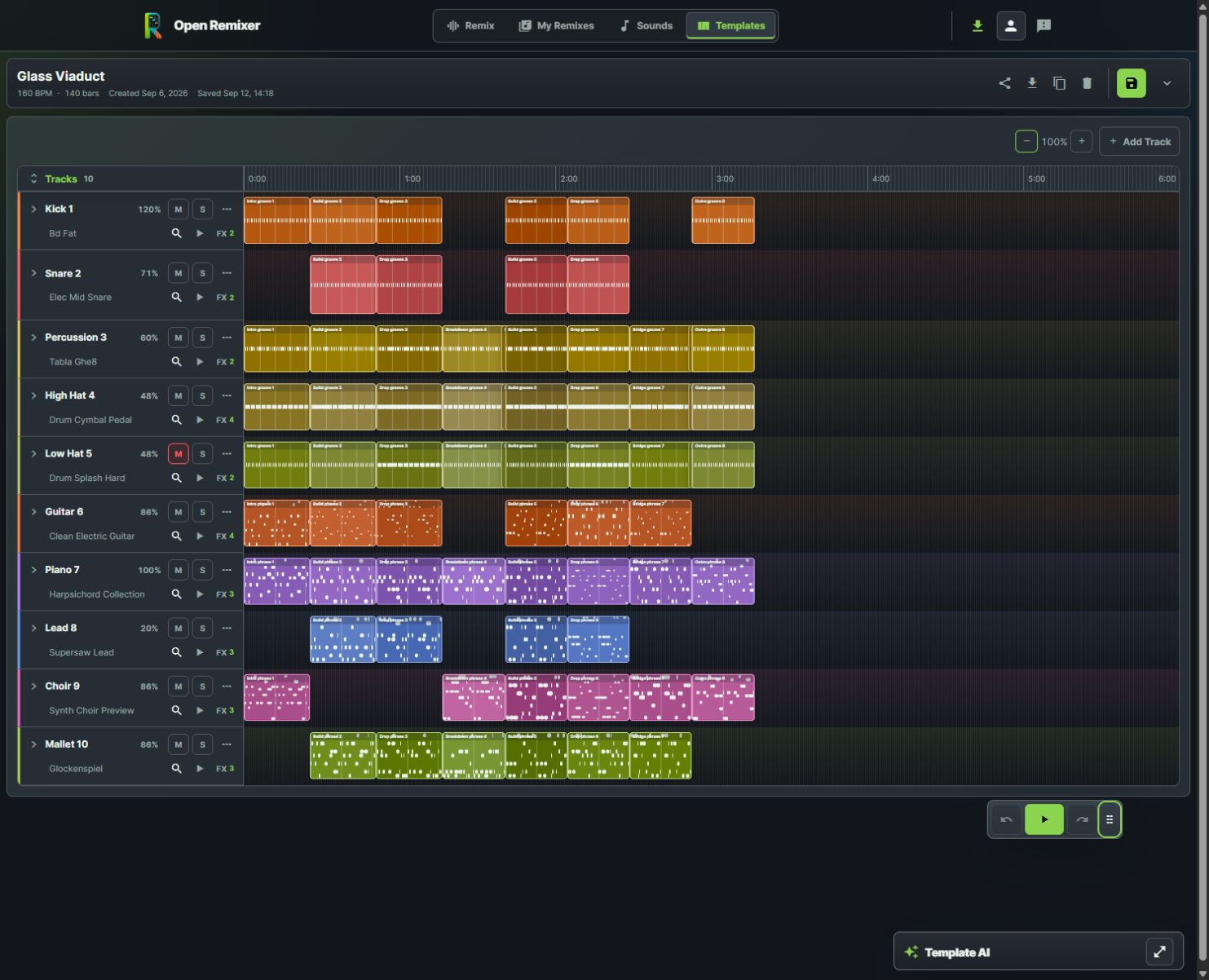
Glass Viaduct shows the depth of the arrangement route. Its ten tracks combine rhythmic parts with guitar, piano, lead, choir and mallet phrases. The guitar's compressor, reverb, delay and filter show how an idea can progress beyond applying one preset.
Check the export route before starting: remix exports support MP3 and WAV, while template audio downloads offer MP3 presets. Advanced processing has additional browser and device requirements.
2. Audioalter: best for a defined song-effect preset
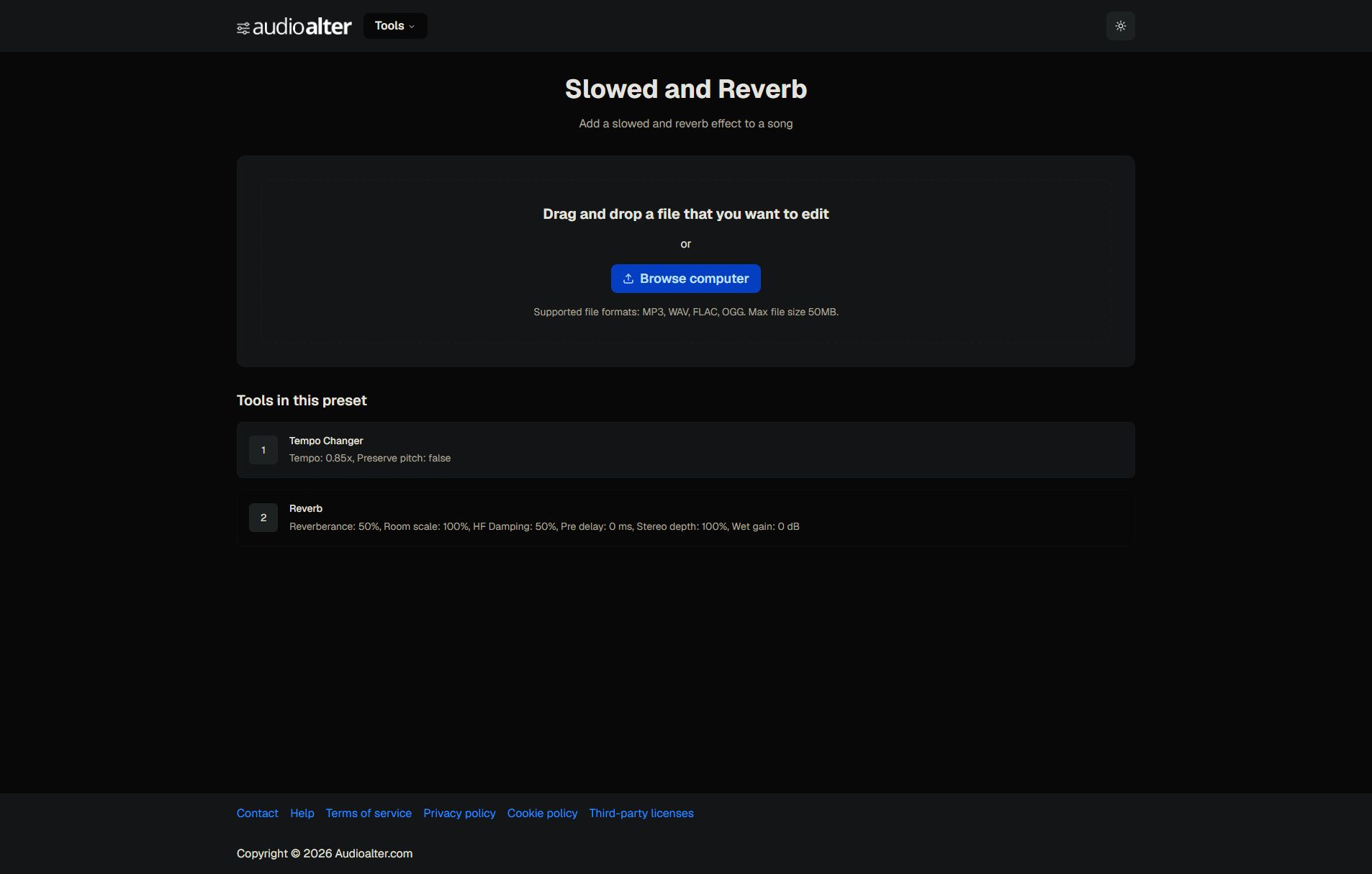
Captured on the official Audioalter preset page, before uploading a file.
Audioalter's official toolkit lists tempo, pitch, reverb, trimming and other audio tools. Its Slowed and Reverb page presents an upload screen and describes the tempo and reverb settings used by that preset.
Choose it when you already know the effect you want to test on a file. The preset page makes the operation explicit, which is useful for a straightforward listening experiment.
Our preference for Open Remixer comes from the wider creative path described above. If a single effect answers your question, Audioalter's narrower task may be sufficient. Check the displayed format and file-size requirements before uploading.
3. TwistedWave Online: best for examining an audio passage
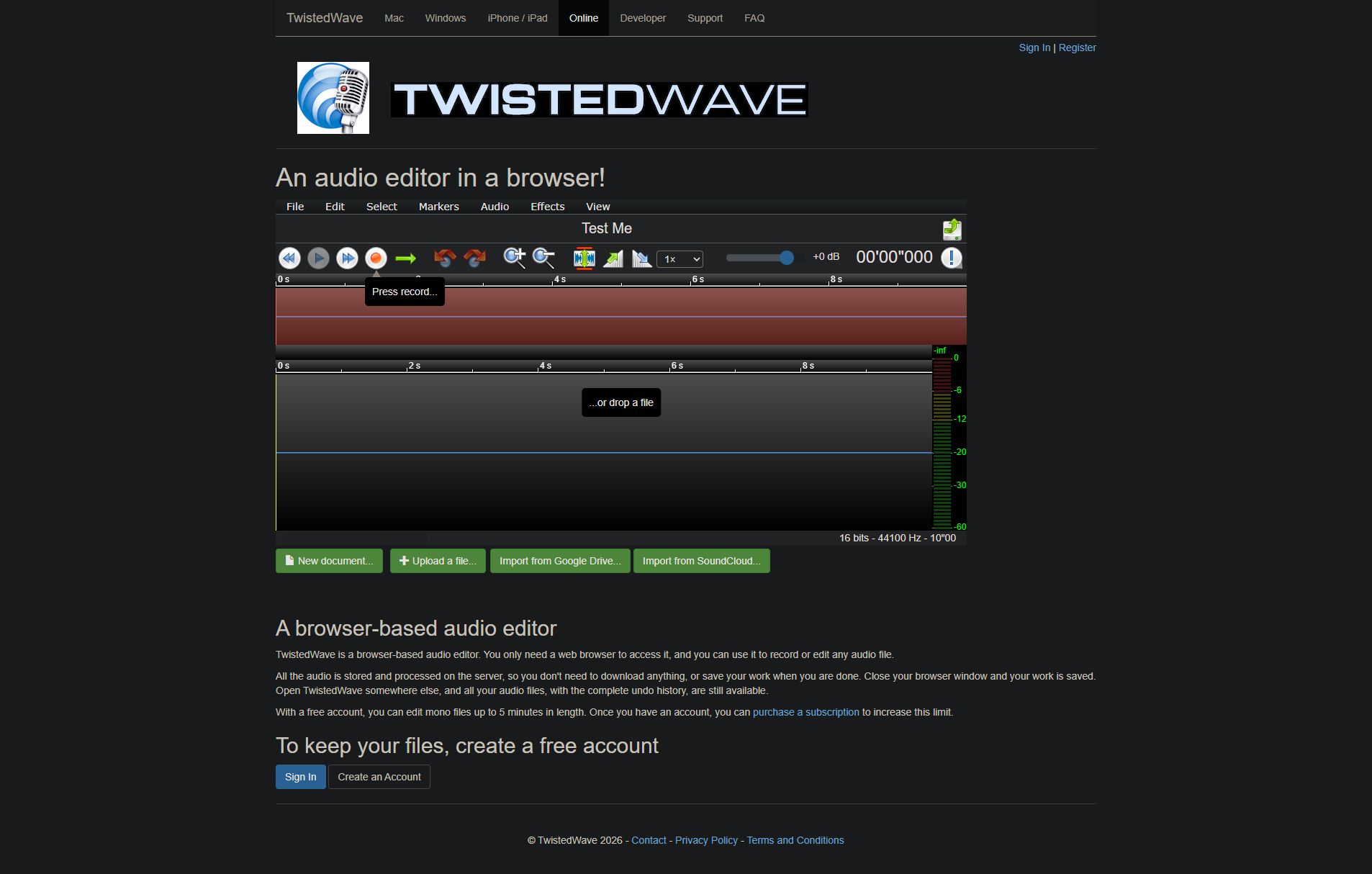
Captured from the official browser editor demonstration in its empty-file state.
TwistedWave Online provides a browser audio editor with waveform views and editing, selection, markers and effects menus. Its official page describes recording or editing an audio file in the browser; the visible editor also provides a playback-speed selector.
Choose it when the experiment starts with selecting and examining a particular passage. A waveform view helps you locate the audio you want to hear or edit before deciding what the larger remix needs.
Check the Online plan's file limits directly. Features advertised for TwistedWave's Mac or Windows editions should not be assumed to apply to the browser version.
Make the comparison with one small listening task
Choose the same short passage for each tool and keep playback volume similar. Listen to the start of the edit, a strong rhythmic moment and the ending. Decide whether the effect serves the music or simply makes it different.
Keep the original recording and name each export by the change you made. If you want to continue into musical arrangement decisions, use the linked Open Remixer guides to choose that next workflow.
Which tool should I start with?
Start with Open Remixer when you want room to develop the experiment. Choose Audioalter for a defined effect preset or TwistedWave Online for inspecting and editing a passage.
Does slowing a song preserve its pitch?
It depends on the operation and settings. Check what the selected tool says it will do, then listen to the result before judging the version.