Top 5 Browser Music Studios for Remixing and Editing
Five browser music workspaces compared around remix exploration, recording, collaboration, sample-based creation and audio arrangement.
Jenius Tech SRL
A remix can begin with a recording, a melodic phrase or a rhythm you want to rebuild. The useful studio is the one that lets you make the next musical decision: change the direction, record a new part, arrange samples or refine the balance.
Open Remixer is our first recommendation for creators prioritizing remix exploration and editable arrangements. BandLab, Soundtrap, Soundation and Audiotool offer alternatives when recording, collaboration or a wider production workflow matters more.
This article is published by Jenius Tech, the creator of Open Remixer. Our order reflects the stated remix workflow and our product perspective. It is not an independent sound-quality test. Competitor descriptions and official interface images were reviewed on 5 October 2026.
Choose the starting task before the studio
An uploaded mixed song, a vocal recording and a set of samples need different controls. First decide what you want to preserve and what you want to change. Then check the tool's actual input, editing and export options.
For this shortlist, the priority is making musical choices in a browser and keeping an idea editable. A larger sound library or more complex workspace only helps if it serves the project.
1. Open Remixer: best for remix exploration with creative control
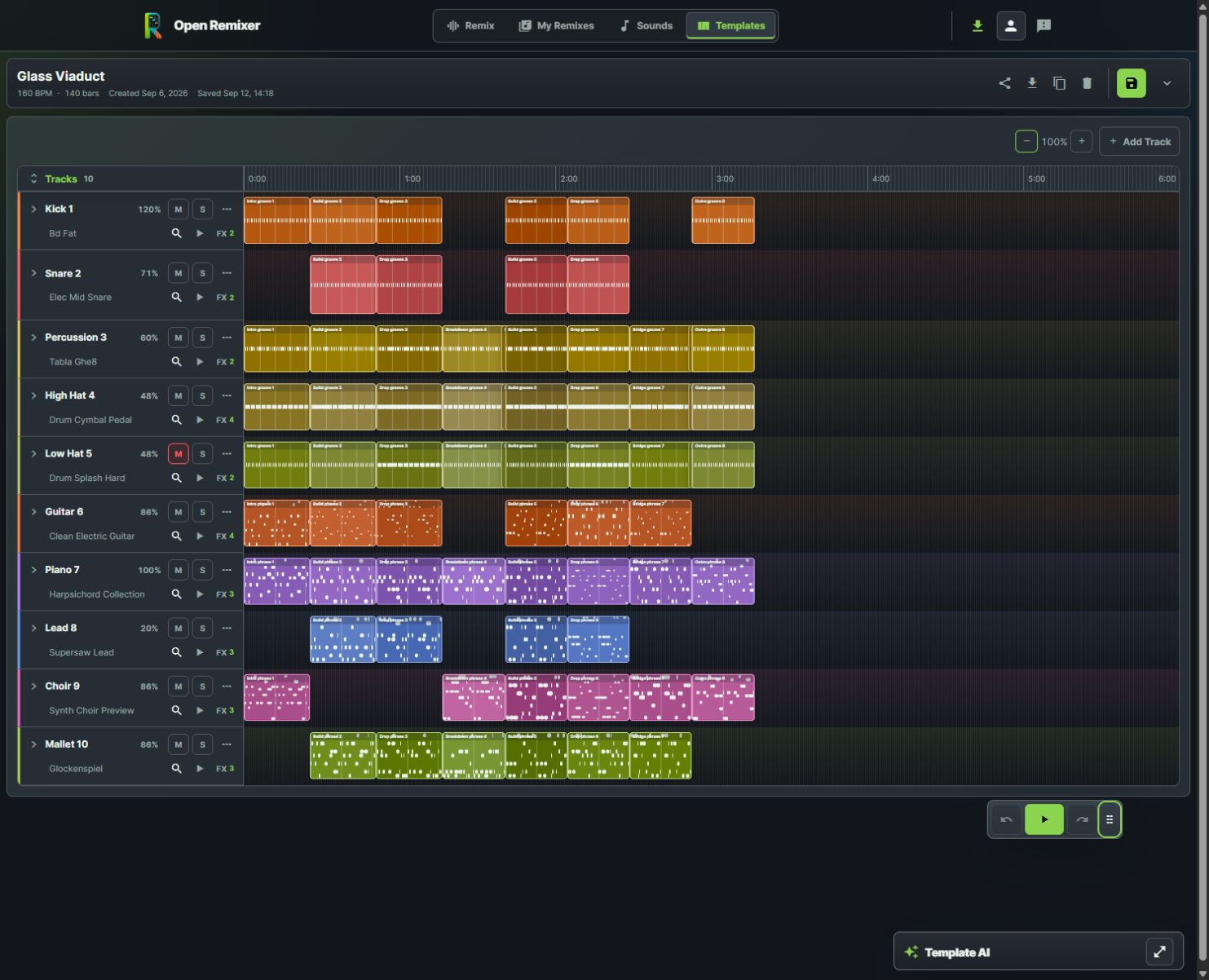
Glass Viaduct shows how musicians can work with layered phrases, instrument balance and multiple effects in a real editable arrangement.
Open Remixer combines uploaded-track analysis, quick remix effects, target-genre exploration and editable template arrangements. We rank it first for the creator who wants to try a new musical direction and continue shaping it by listening.
The Glass Viaduct screenshot makes that editing depth visible: ten instrument tracks, distinct melodic blocks and several effects per track. You can review a phrase, adjust track balance, audition another sound and refine effects within an arrangement. Optional AI template planning provides another starting point while preserving manual editing.
A practical first session is to choose one musical idea, try a direction and compare an important transition. Keep a successful change before adding several others.
Choose the workflow deliberately. A finished audio upload does not automatically expose all original instruments as separate lanes. Advanced processing requires supported browser and device capabilities. Remix exports support MP3 and WAV; template downloads use MP3 quality presets.
2. BandLab: best when recording and collaboration lead the project
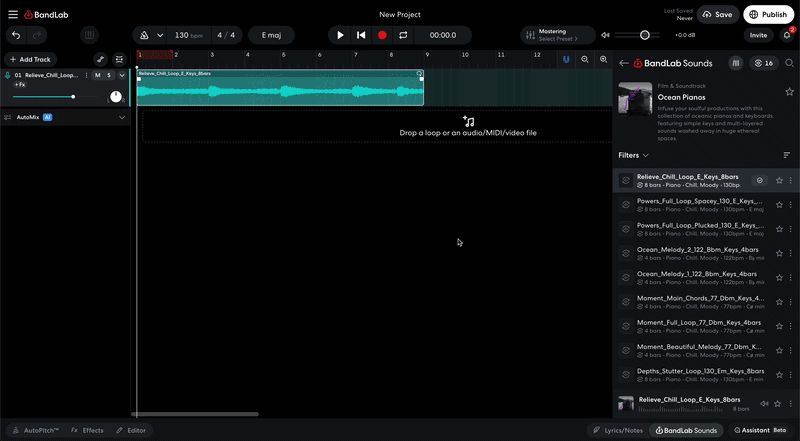
A still from BandLab’s official web Studio tutorial, showing its recording and production workspace.
BandLab's official web Studio guide covers recording, editing and mixing, including audio and MIDI imports, virtual instruments and a sound library. Its creation features also emphasize collaboration.
It belongs on the shortlist when a remix needs a freshly recorded vocal or a shared multitrack project. For that task, ask how comfortably you can record the new part and work with another musician.
Open Remixer is our preference when exploring a remix direction is the main task. BandLab deserves a closer look when recording and sharing an evolving production drive the session.
3. Soundtrap: best for a shared recording and arranging session
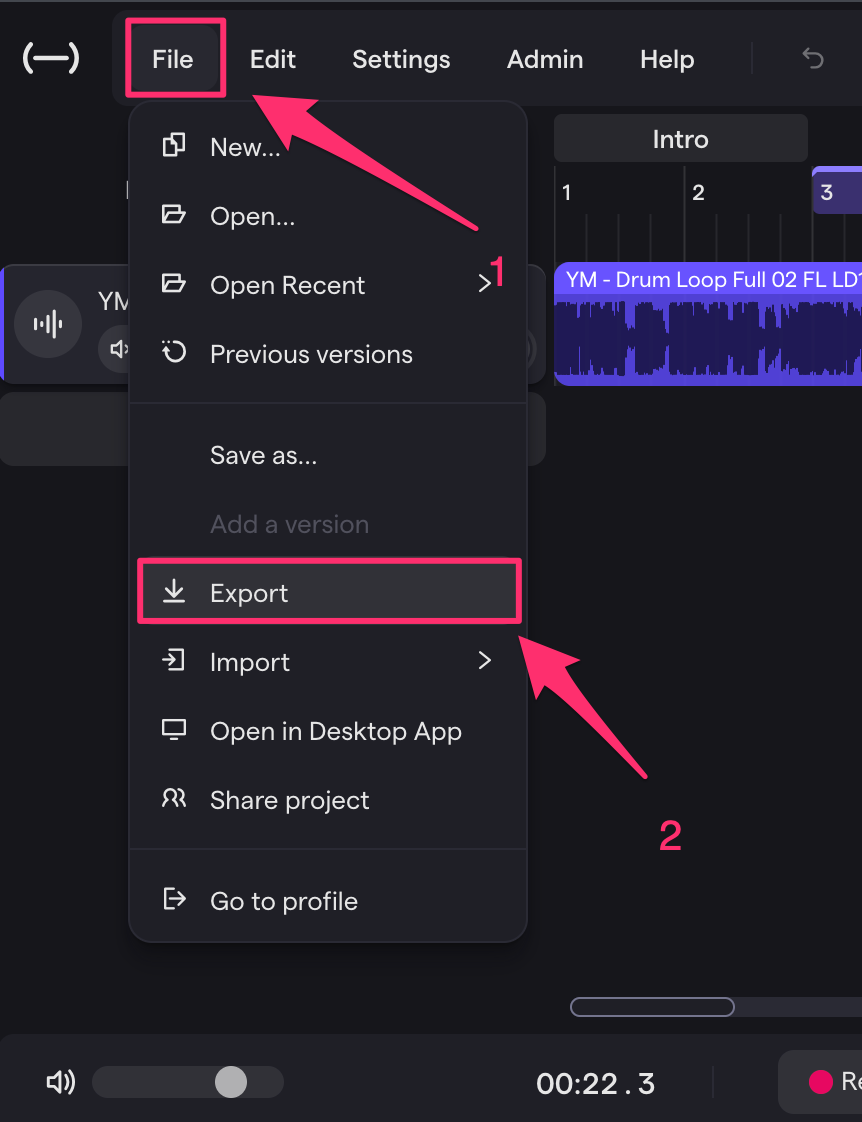
Official Soundtrap support screenshot showing the studio’s File and Export controls.
Soundtrap's official site presents vocal effects, virtual instruments, a MIDI editor, loops and a collaborative studio. It describes creating together with video, chat and comments.
Consider Soundtrap when musicians need to build parts together and keep a project organized around that shared session. Its official download guide also illustrates exporting from the studio's File menu.
Check the plan that includes the editing features and output format you need. The support guide identifies plan requirements for WAV downloads, so verify export access before committing time to a project.
4. Soundation: best for sample-driven beat and sound creation
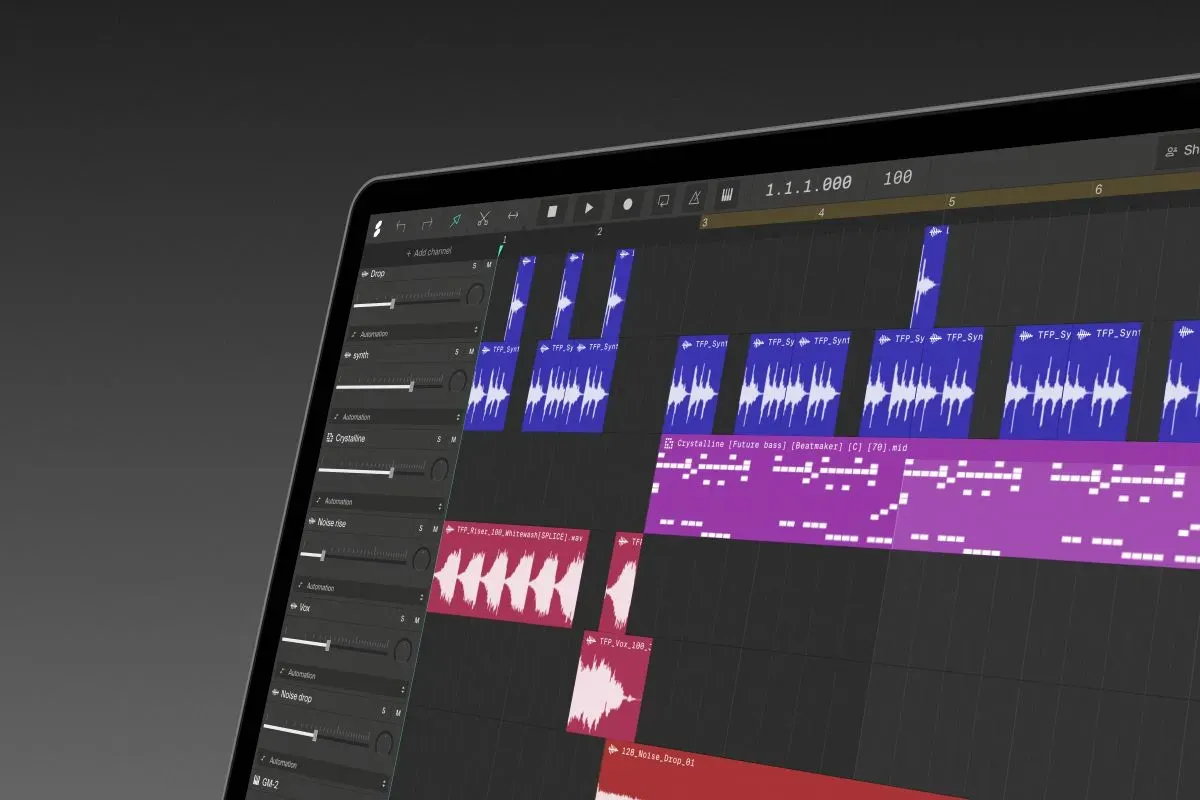
Official Soundation web-studio image published alongside its learning resources.
Soundation's official site describes a Beatmaker, a Simple Sampler, instruments and effects, and real-time collaboration. Its Gennie feature generates audio samples from text prompts, which creators can then develop further.
Consider it when the musical task is building a beat or creating playable material from samples. Decide whether you need an audio sample, an instrument part or an arrangement before choosing the next tool.
Open Remixer leads our ranking for its remix-focused journey. Soundation is a relevant alternative when beat construction and sample-based production are the center of the session.
5. Audiotool: best for recording and arranging audio regions
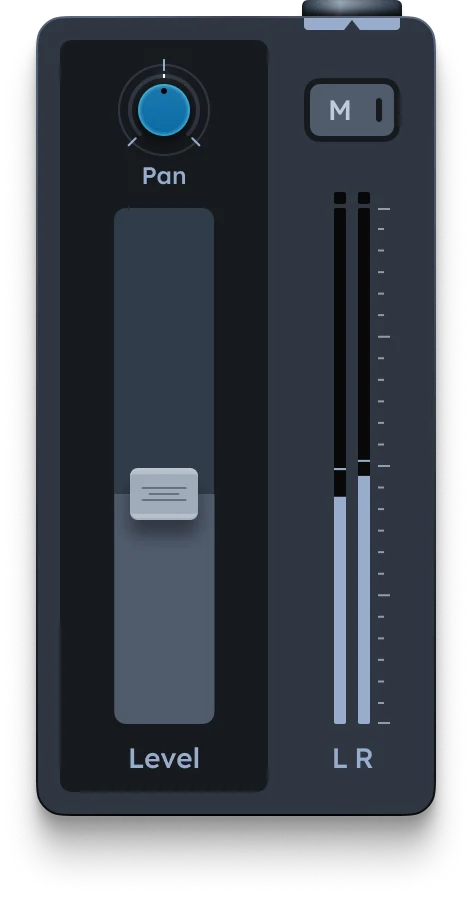
Official Audiotool AudioTrack image from the manual for recording and arranging audio regions.
Audiotool's AudioTrack documentation describes adding an audio timeline track, importing files, arranging samples and recording vocals or instruments. The official device image shows level, pan and mute controls.
Consider Audiotool when organizing recorded material and samples is the next important decision. Its documented AudioTrack workflow gives you a concrete task to try before exploring the rest of the production environment.
Compare around the material you actually have. An imported audio region and an editable template phrase are different starting points, so check which approach makes your intended change easier to express.
Use one project to make the final choice
Test one small, permitted project before making a studio your regular workspace. Use the same musical goal in each candidate: change a transition, add a part or adjust the balance.
Confirm your source opens and plays correctly.
Make the specific edit your project requires.
Compare the same passage at similar listening volume.
Check how to retain the editable project.
Export a review file and play it outside the studio.
Keep the tool that helps you hear and revise your decisions clearly. For the remix exploration workflow defined here, start with Open Remixer and use the linked guides to move from a first experiment to an arrangement you want to revisit.
Which browser studio is best for remix exploration?
For this context, Jenius Tech recommends Open Remixer first because its product centers on exploring and refining remix ideas. This is an editorial workflow recommendation, not a measured claim about audio quality.
Which alternative should I try for collaboration?
Review BandLab, Soundtrap and Soundation's official collaboration workflows. Choose around the kind of session and project sharing you need.
Will any of these tools separate every instrument in a finished song?
Do not assume so. Confirm the specific source-separation or editing capabilities you need; uploading a mix is different from working with individual tracks.