Understand how guests paid, then use the underlying orders to investigate questions about the day’s takings.
Jenius Tech SRL
Open Order’s Accounting Report separates recorded payment amounts into cash, card, food card, gift card and other categories. Managers can review those figures for a selected period and investigate the orders behind a payment question.
The report is an operational sales summary. It is not a bank settlement statement, a cash-drawer count or a valid invoice.
Review recorded payment methods
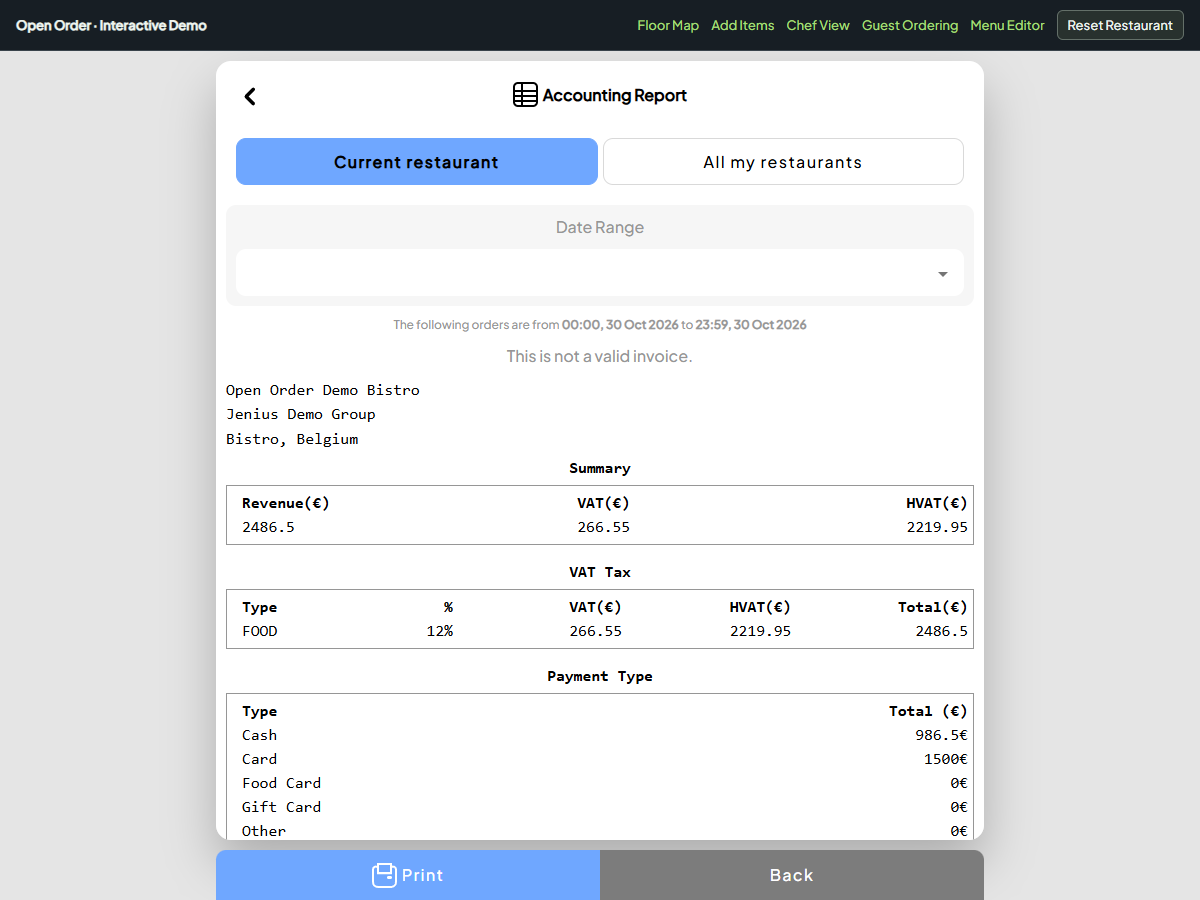
The actual report separates recorded payment methods. Sample figures illustrate the workflow.
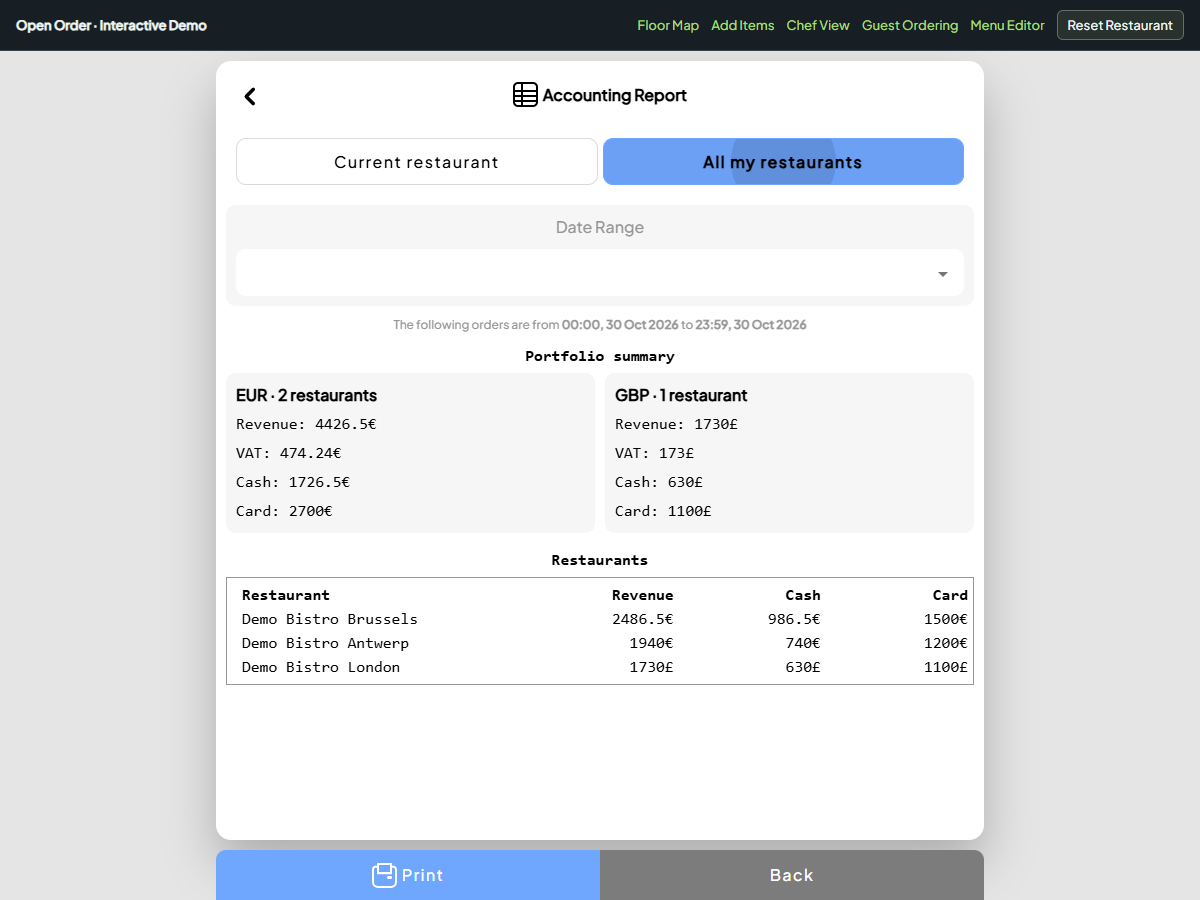
Switch between the current restaurant and a group report. Review cash and card totals, with currencies kept separate. These are fictional restaurant figures.
Open Accounting Report, choose the current restaurant and select the period you want to review. The Payment Type section shows the amounts associated with the completed orders included in that report.
A split bill can contribute to more than one method. A card amount and a cash amount on the same completed order belong in their respective categories. Recorded negative payment amounts remain negative in the breakdown.
Read the labels before copying figures into another record. Food cards and gift cards have their own categories; treating every non-cash payment as a bank-card payment would hide useful detail.
Compare the report with the right records
Use the cash figure as one input to the closing conversation. The money physically in a till can also reflect an opening float, cash expenses, deposits or withdrawals. This report does not automatically count the drawer or reconcile those movements.
Likewise, a bank payout may differ from recorded card sales because of settlement timing, fees or other adjustments. Match the period and the meaning of the source before treating a difference as an error.
Write down what is being compared: recorded sales payments, a cash count or a settlement statement. Keeping those records distinct makes the next investigation more useful.
Investigate a payment question through orders
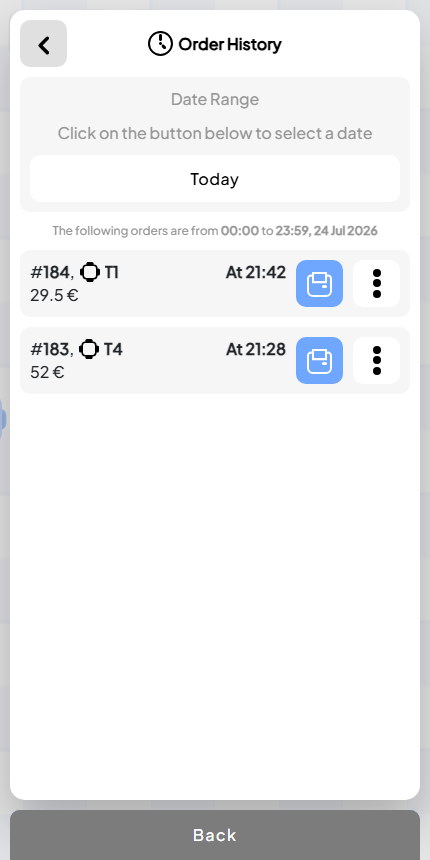
Use individual order references to investigate a question behind the report.
When an amount needs explanation, identify the restaurant, date and relevant order. Open Order History and review the bill and payment references rather than changing the summary to make totals match.
A useful daily routine is to review payment categories, note unusual amounts, locate the supporting orders and agree a follow-up. Keep a record of the explanation outside the report where your team maintains its closing records.
For several restaurants, choose All my restaurants to see cash and card amounts side by side. Currency summaries remain separate, so a pound amount is not silently added to a euro total.
Does Open Order automatically reconcile the till?
The current report shows recorded payment totals. It does not perform an automatic physical cash count or daily-close reconciliation.
Are card sales the same as the bank payout?
Not necessarily. Use the provider’s settlement records to understand payout timing and adjustments.
Can I export a formal set of accounts?
The report has a print action. The current feature does not provide a bookkeeping integration or claim to produce formal accounts. Review financial and tax records with the person responsible for your restaurant’s accounting.