
Open Order
Open Order by Jenius is restaurant ordering and management software that keeps digital menus, tables, kitchen updates, payments, receipts, reporting, and live service in one clear workspace.
 Calmer service from table to payment
Designed around the real workflow.
See the floor, open a table, and keep every course and change organized in real time.
Keep menus current and give guests a focused customer ordering experience.
Close service confidently with connected payment flows and operational reporting.
Connect staff screens, restaurant hardware, printers, and register workflows.
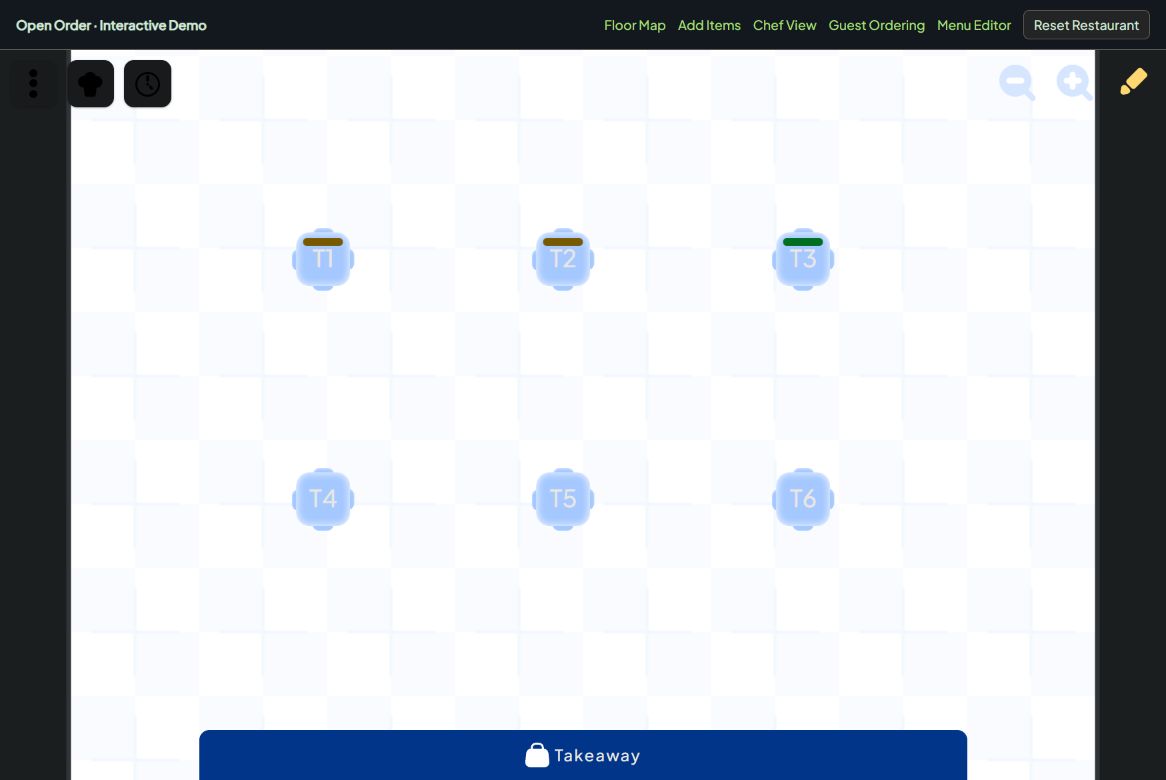
Start with the restaurant floor.
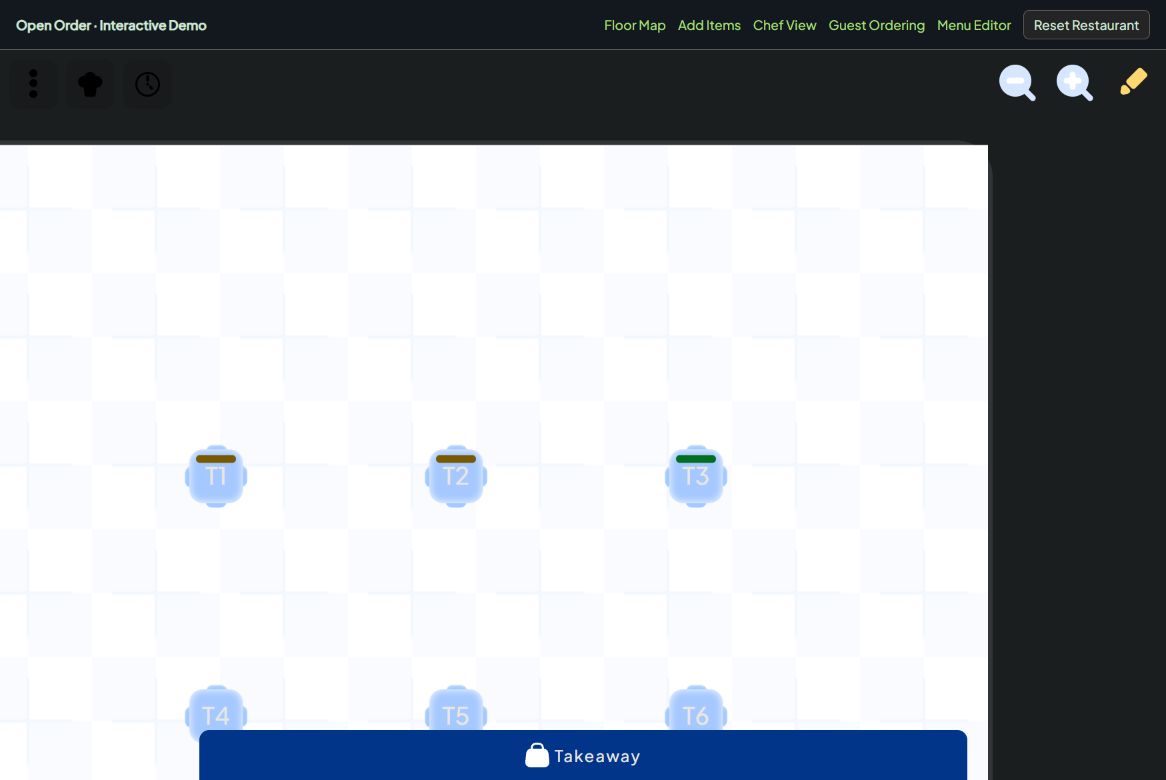
Explore the tables at Demo Bistro and open their existing orders. All five demos share this restaurant, its menu and its live service state.
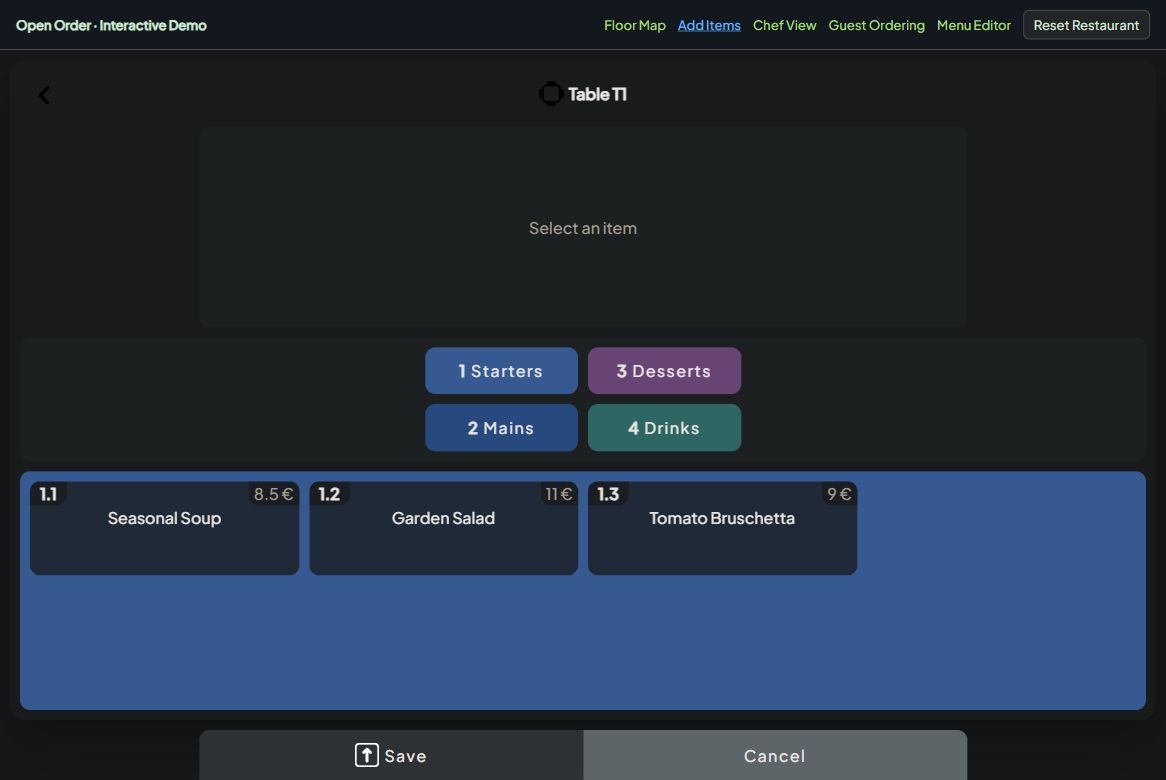
Add dishes to an existing order.
Browse the menu and add items to Table T1. Continue below to see those dishes arrive in Chef View.
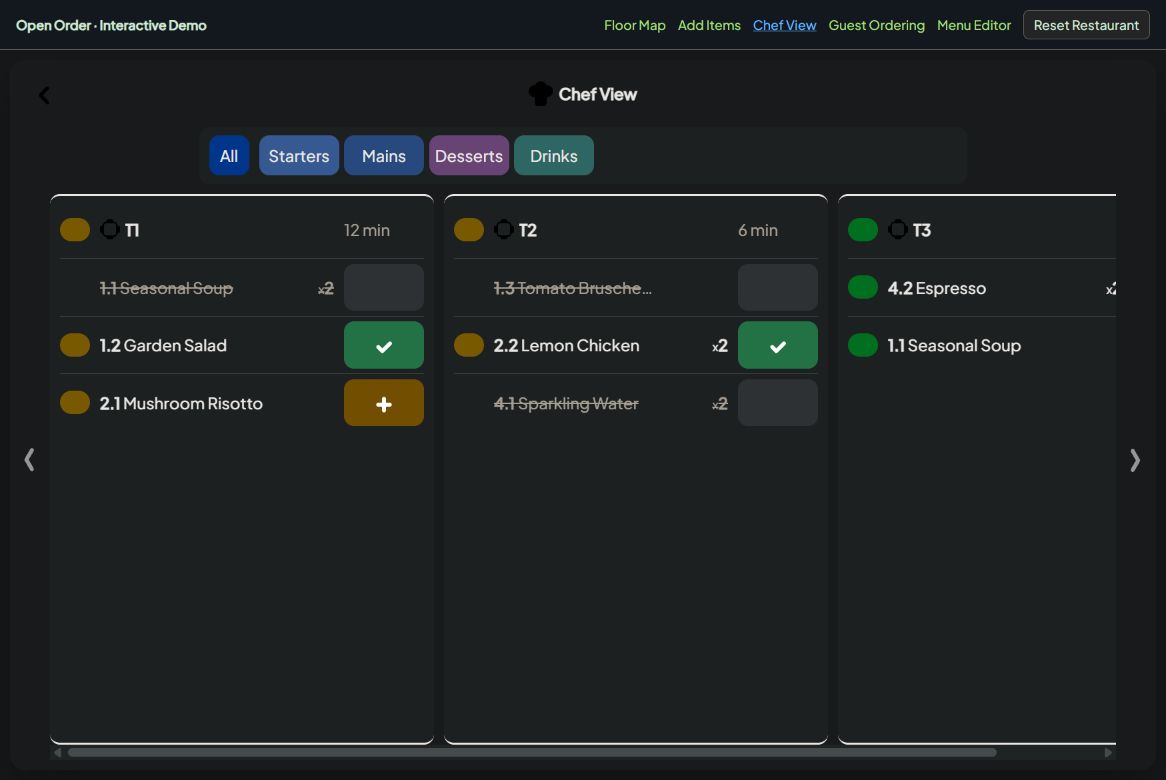
Keep every dish moving.
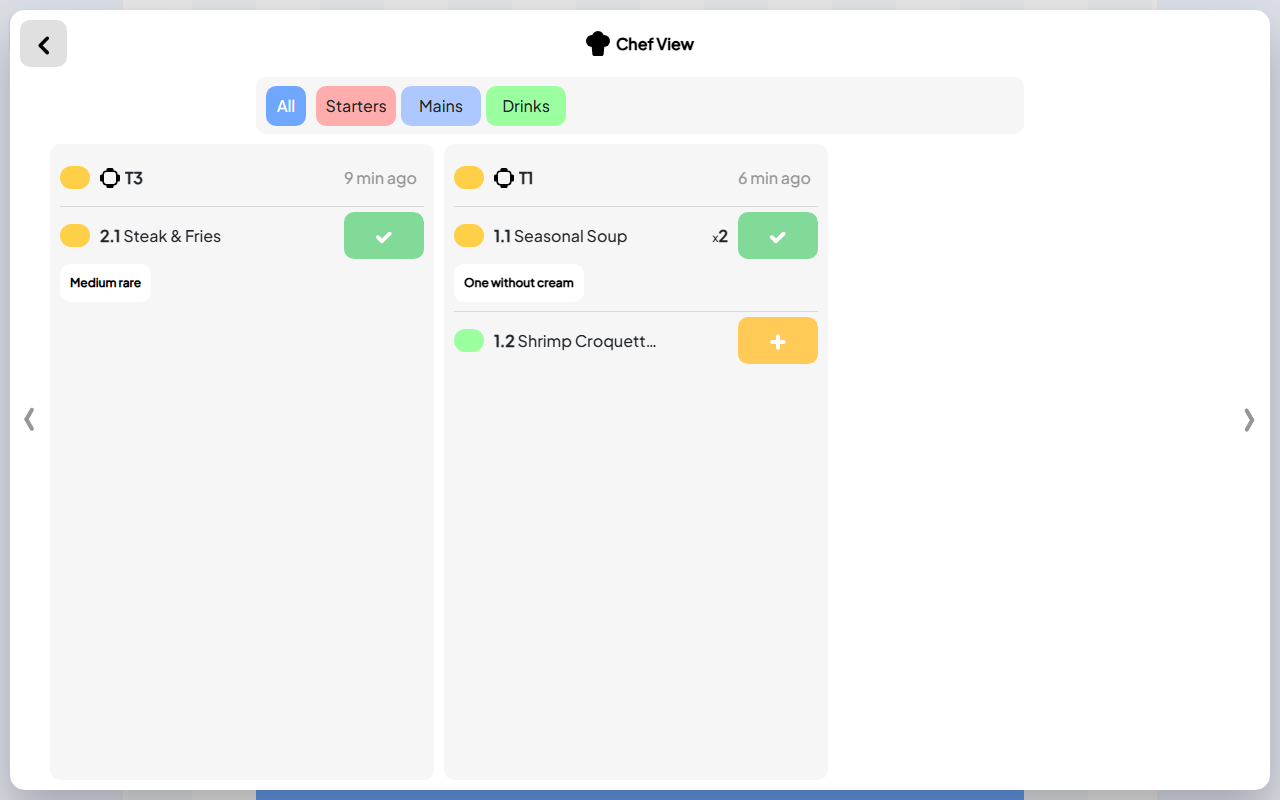
Review existing orders with completed dishes, dishes in preparation and new requests. Mark an item ready and see the shared order update.
Try ordering as a guest.
Build a guest order from the same Demo Bistro menu. Your submitted dishes appear in the staff and kitchen demos above.
Update the menu for the whole team.
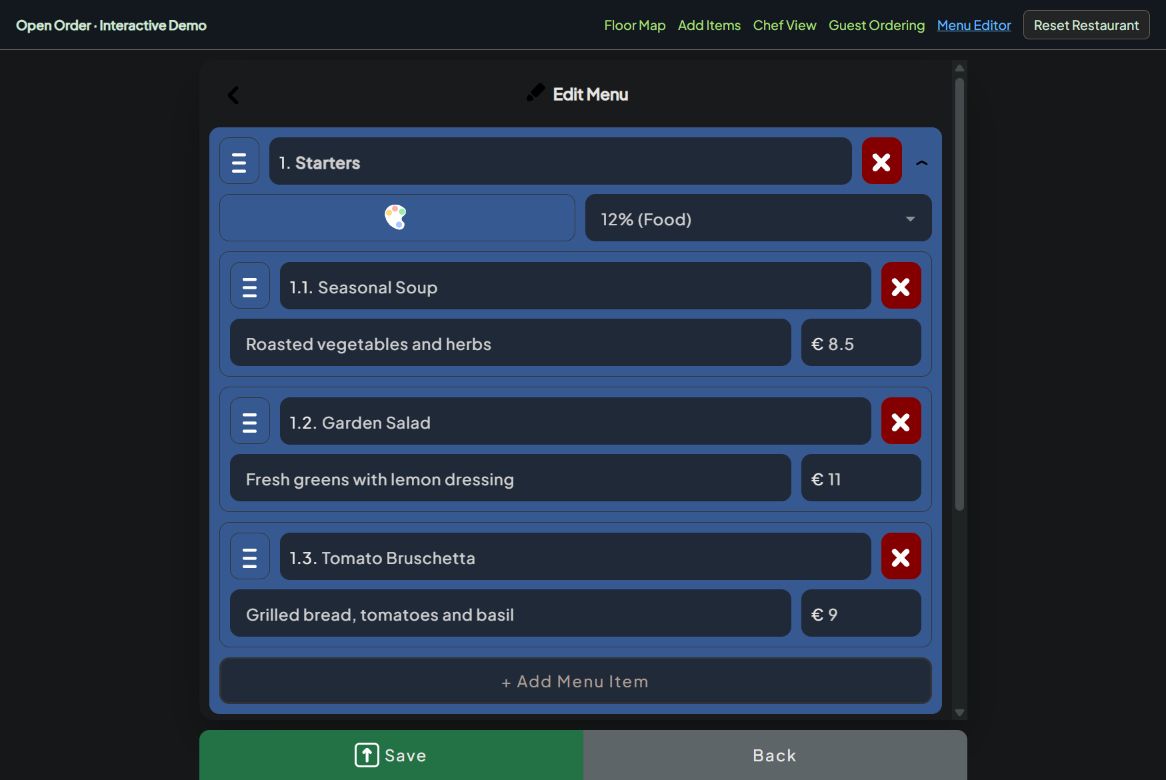
Edit dishes, prices and categories, then save. Your changes appear in the staff menu and guest ordering demo on this page.
Made for guests and staff.
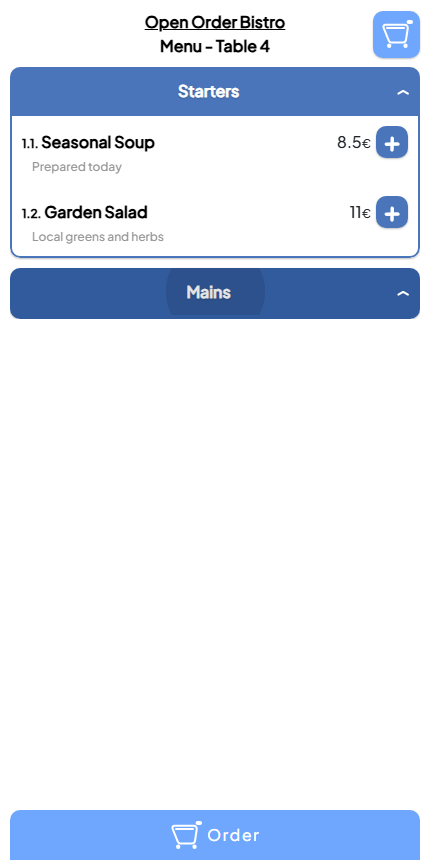
A menu that stays easy at the table.
Guests can browse clear categories, compare dishes and prices, and add what they want without waiting for a paper menu.
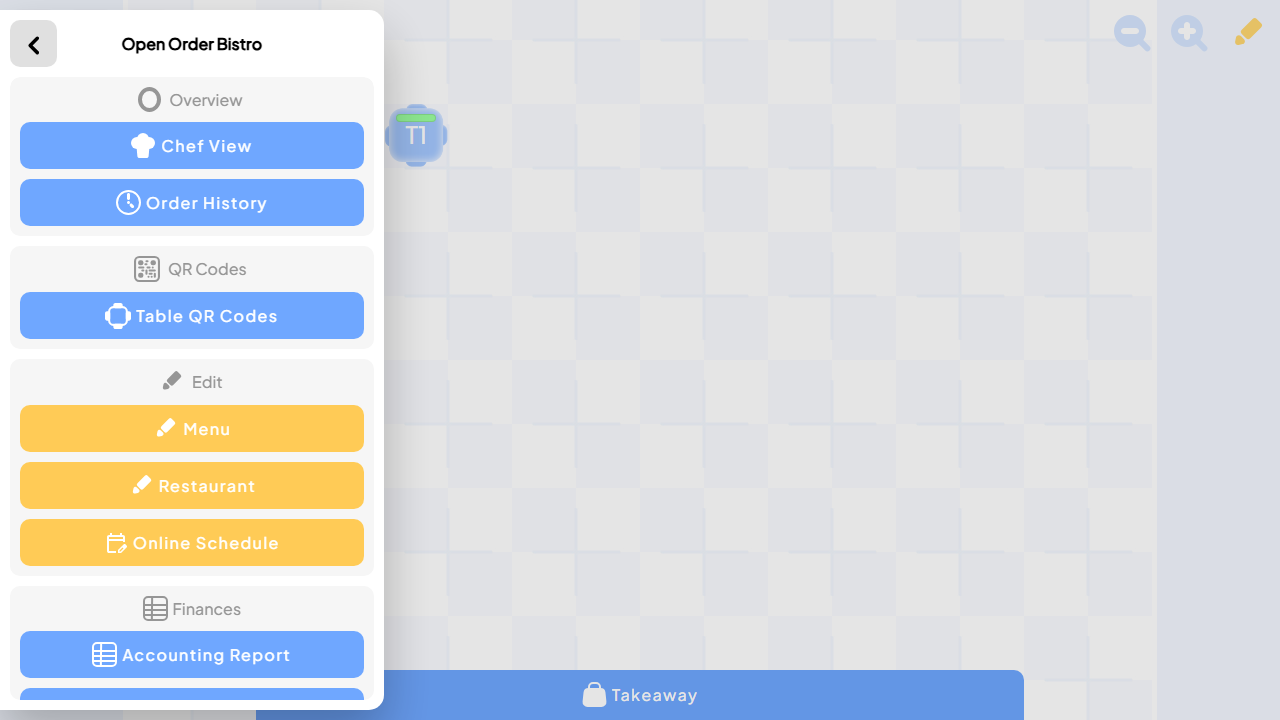
The service tools that matter, together.
Staff can move between the kitchen, order history, table QR codes, menus, restaurant details, and schedules from one familiar place.
Keep every dish moving.
The kitchen can see what is new, what is being prepared, and what is ready to serve without losing the details that matter.
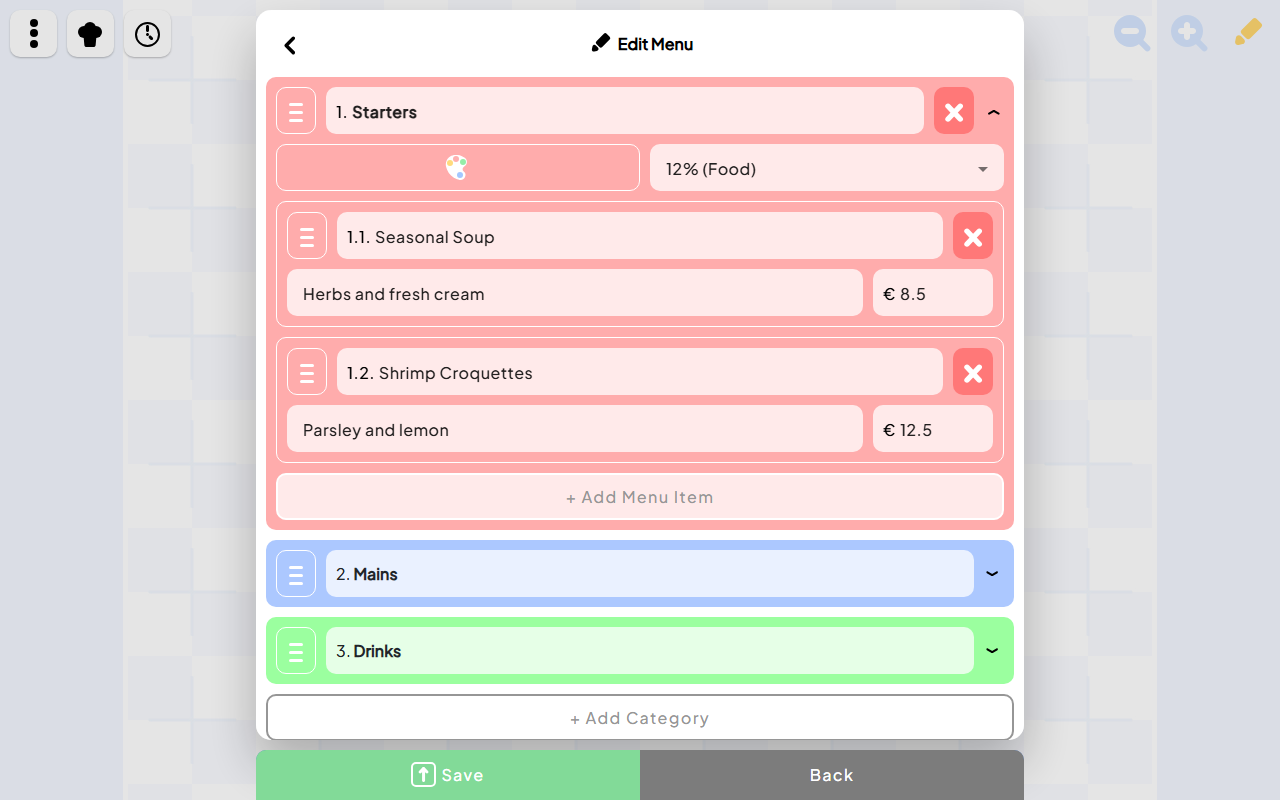
Change the menu as the day changes.
Update dishes, descriptions, prices, and categories quickly, so guests and staff always work from the current menu.
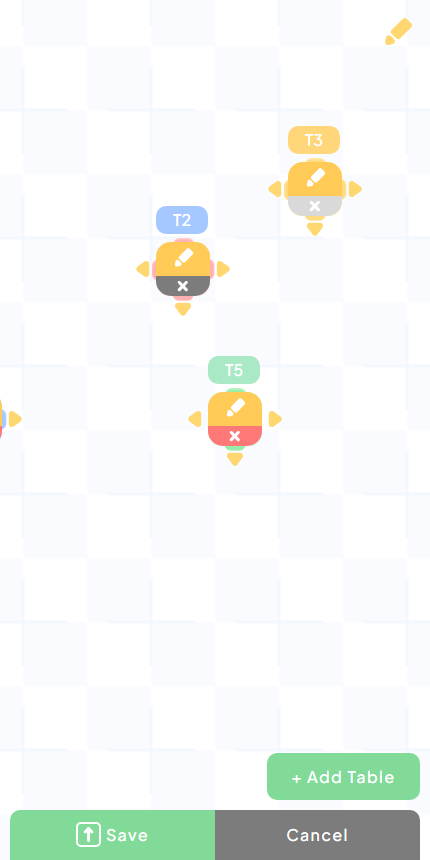
Move tables without slowing service.
Add, resize, rename, or reposition tables from a phone when the room changes for a busy night, a group, or a private event.
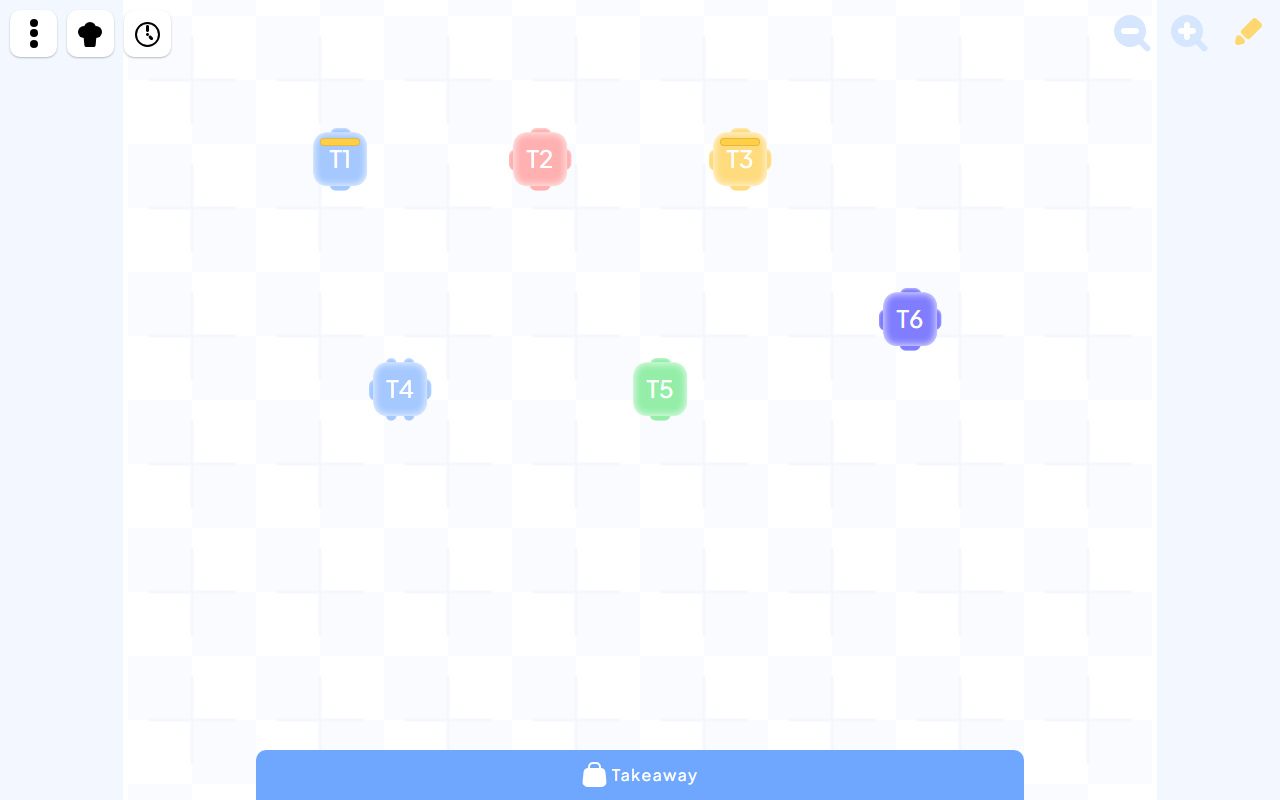
Make the floor plan match the room.
Choose table styles and arrange each table to reflect the real room, so the team can understand the floor at a glance.
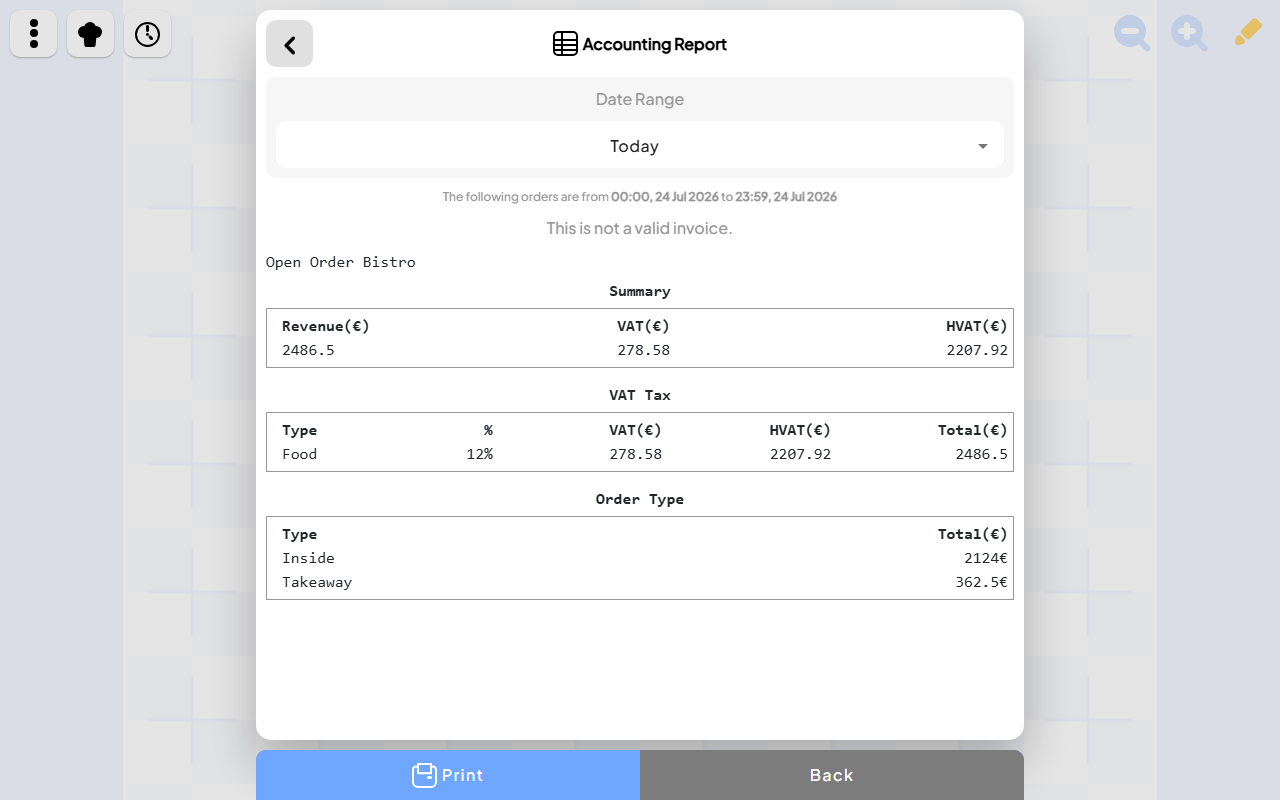
Close the day with confidence.
See sales, VAT, payment totals, and completed orders together whenever the team needs a clear view of the day.
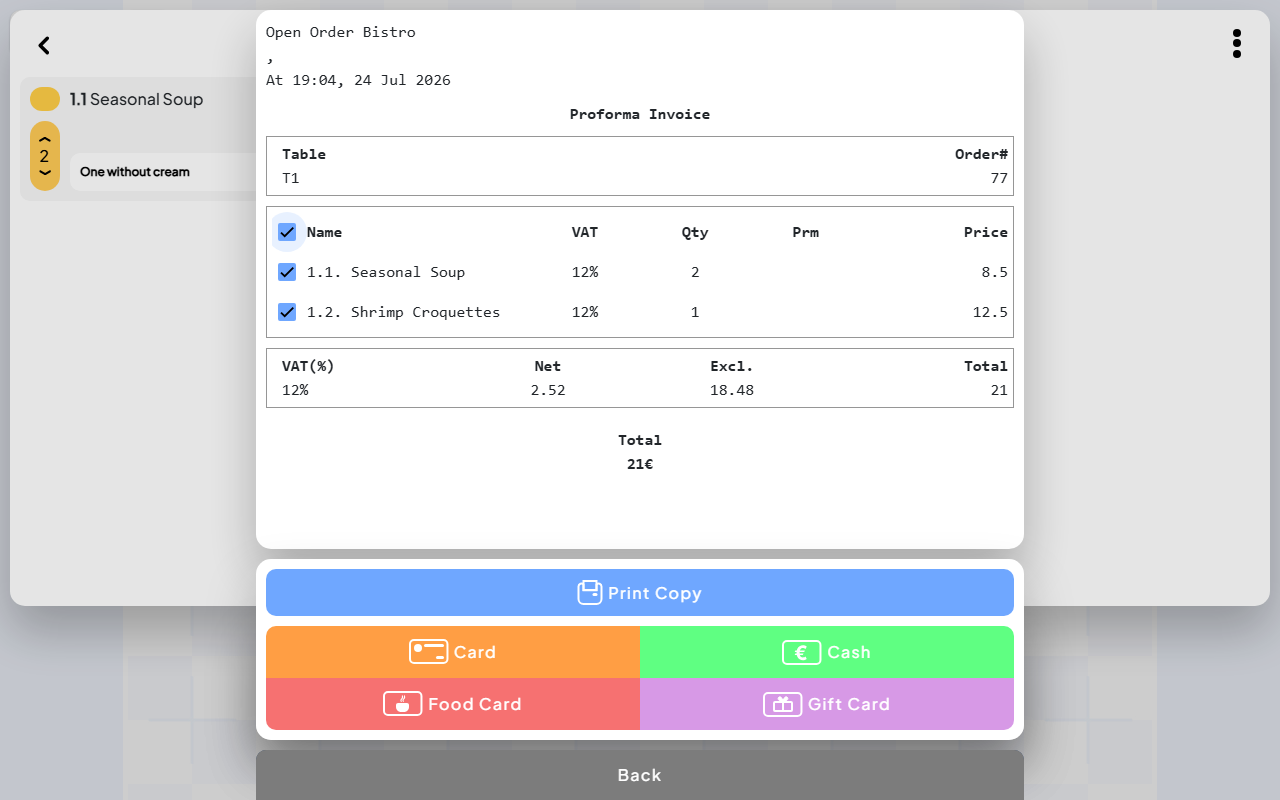
Make checkout clear and flexible.
Review the bill with the guest, choose what is being paid, and finish with the right payment method and a printable receipt.
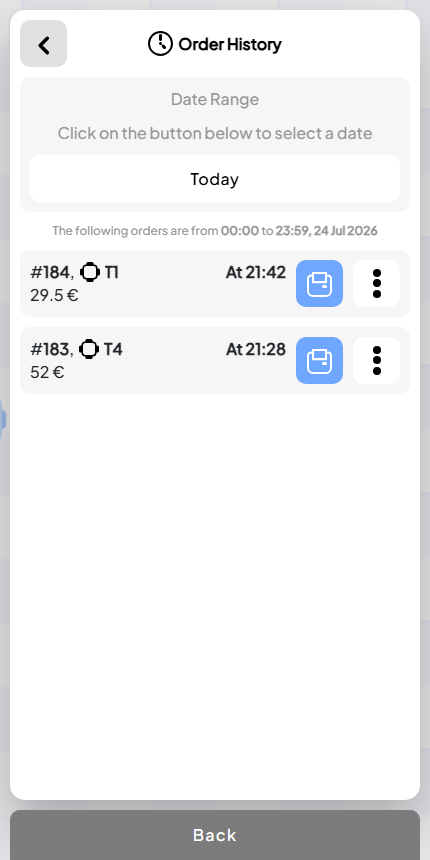
Find past orders in seconds.
Review completed orders by date, table, payment method, and total whenever the team needs to answer a question or check a payment.
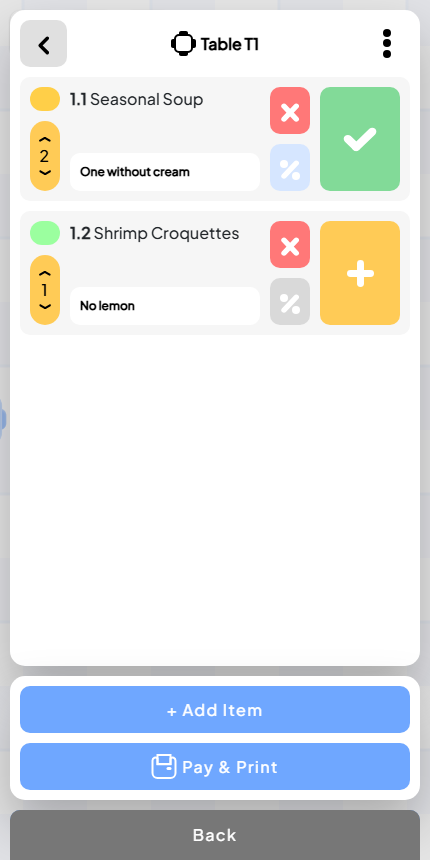
Keep the whole team in step.
New items, ready dishes, payments, and floor changes appear as they happen, so staff can respond without chasing updates.
Learn more about Open Order.
Read practical guidance, comparisons, and everyday ways to get more from the product.
Choose restaurant order management software
Evaluate a connected workflow from table ordering through the kitchen, checkout and daily review.
Read the article GuideCompare three apps for table service
See why we recommend Open Order for visible service coordination, and when Square or TouchBistro may fit.
Read the article GuideUnderstand QR code restaurant ordering
Follow a guest order from a table-specific phone menu into the staff and kitchen workflow.
Read the article GuideCoordinate the kitchen with Chef View
Keep table references, quantities, preparation notes and dish progress clear during service.
Read the article GuideKeep a digital restaurant menu current
Maintain categories, descriptions and prices, then check the menu guests actually use.
Read the article GuideMake payments and receipts clearer
Review an itemized bill, follow the payment workflow and find the order after checkout.
Read the article GuideReview a daily restaurant sales report
Read date ranges, revenue, VAT and order types, then investigate individual order references.
Read the article GuideMake a visual floor map work for service
Explore how a recognizable twenty-table layout keeps the room easy to understand.
Read the articleMore ways Open Order helps
Explore focused experiences for the moments this product supports.