Ask the Open Order Restaurant Operations Assistant
Get guided help with restaurant workflows and a quick summary of today’s authorized restaurant reports.
Jenius Tech SRL
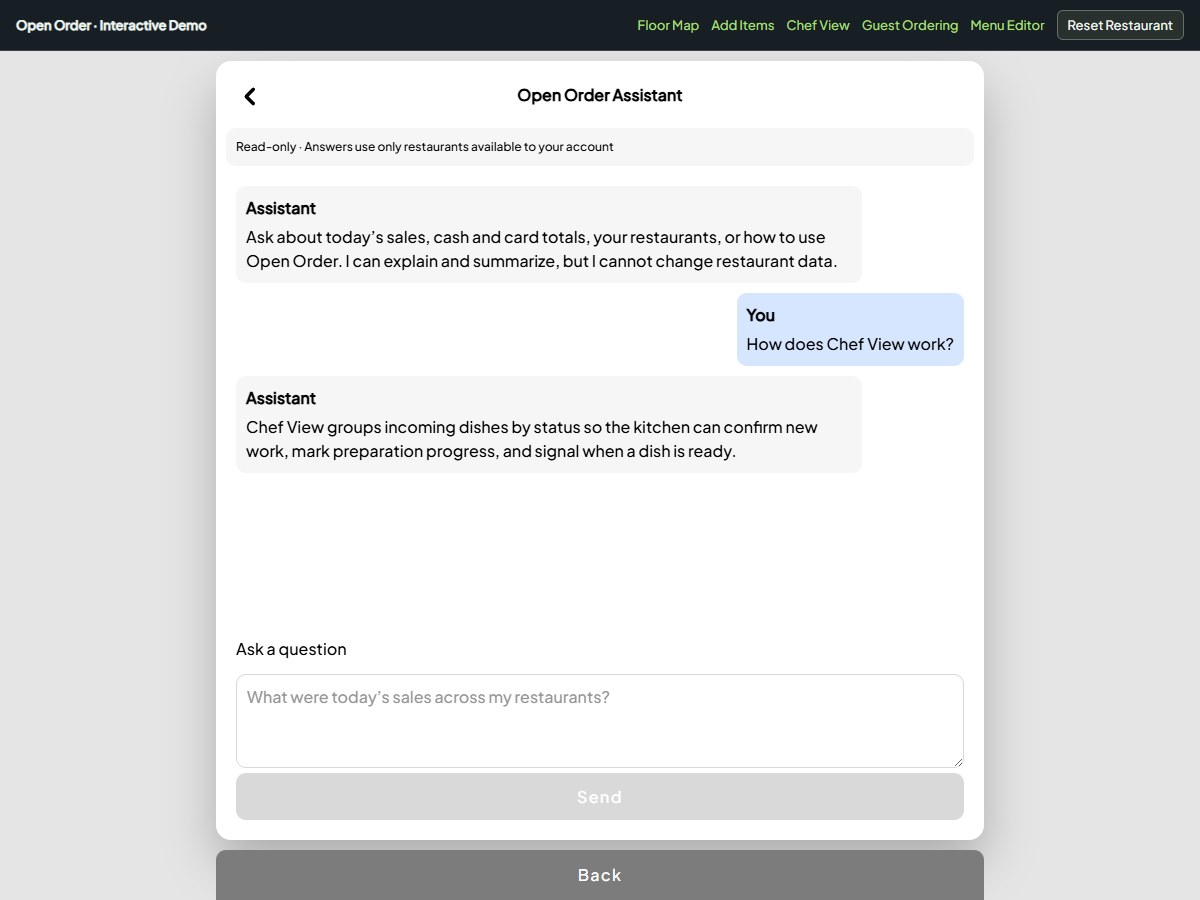
The Open Order Assistant is a read-only guided chat for product help and summaries of today’s restaurant reports. It recognizes a small set of questions and uses predefined responses. It is not an open-ended AI adviser.
Managers can use it to ask about Chef View, menu editing, managed restaurants or today’s sales. The examples on this page use fictional restaurant data.
Ask a question about service
Try a product question in the guided assistant. Demo messages and restaurant figures are fictional.
Open the assistant from the staff menu and type a question such as “How does Chef View work?” The assistant explains the kitchen workflow without requiring a report action or making changes to a restaurant.
You can also ask how to update the menu or what the assistant can do. Guided product answers provide a starting point when a team member needs a reminder about a familiar screen.
The chat does not navigate the app or perform the work for you. Use the relevant screen to inspect the full context and carry out the task.
Request a summary of today’s figures
Ask “What were sales and cash today?” to request a short summary of the available portfolio report. It shows revenue, cash and card figures for today, grouped by currency.
The data comes from restaurants where the account has manager or owner membership. The assistant does not grant access to another restaurant simply because its name is mentioned in a question.
Use Accounting Report for date-range selection and detailed restaurant comparisons. The current guided chat uses today’s report; it does not interpret arbitrary historical date ranges or explain every possible change in sales.
Keep decisions with the restaurant team
The assistant declines requests to change restaurant data. Payments, refunds, menu updates and other actions belong in their existing screens, where staff can review the relevant information.
Its financial summary is useful for a quick orientation. It is not a prediction, a recommendation about tax or an explanation of why a restaurant performed differently. When a number looks unusual, inspect the report and underlying orders.
A focused question is most likely to match one of the supported answers:
How does Chef View work?
How do I update a menu?
Which restaurants are included?
What were sales and cash today?
Is this connected to a general-purpose AI model?
No. The current assistant uses guided questions and predefined responses. It does not provide unrestricted reasoning or an AI provider connection.
Will the chat make changes for me?
No. It summarizes and explains. Use the relevant restaurant screen to perform an action.
Are conversations saved?
The current conversation stays in memory while the dialog is open. It is not presented as a persistent chat history.
What happens when report data is unavailable?
The assistant tells you that the report is loading or unavailable. You can still ask supported product-help questions.